Browser extension
Deploy the Lutril browser extension with Google Workspace or Microsoft Intune to find the SaaS apps employees use outside SSO.
OAuth grants only show apps people sign in to with Google or Microsoft. The Lutril browser extension also sees the apps people use with an email and a password. Force-installed by your device management, each install reports the known SaaS domains the employee visits and whether they are signed in, and Lutril adds them to Shadow IT.
Only hostnames that match Lutril's catalog of known SaaS apps leave the device. The rest of the employee's browsing is never reported.
Before you start
- You are an owner or admin in Lutril.
- You manage Chrome through the Google Workspace Admin console, or browsers through Microsoft Intune.
Setup lives on the Shadow IT discovery page, on the Browser extension tab. Open it from the account menu at the bottom of the sidebar.
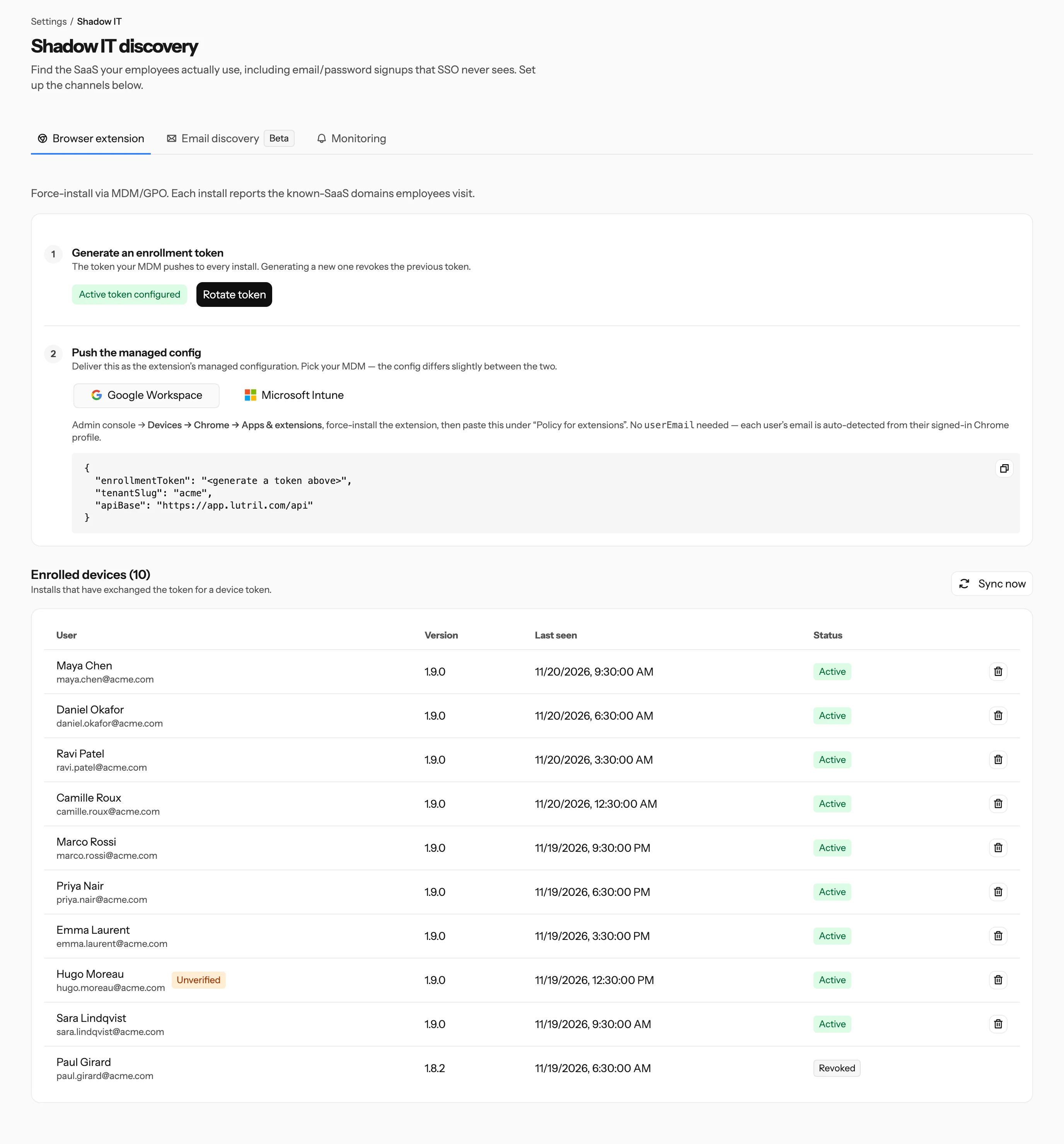
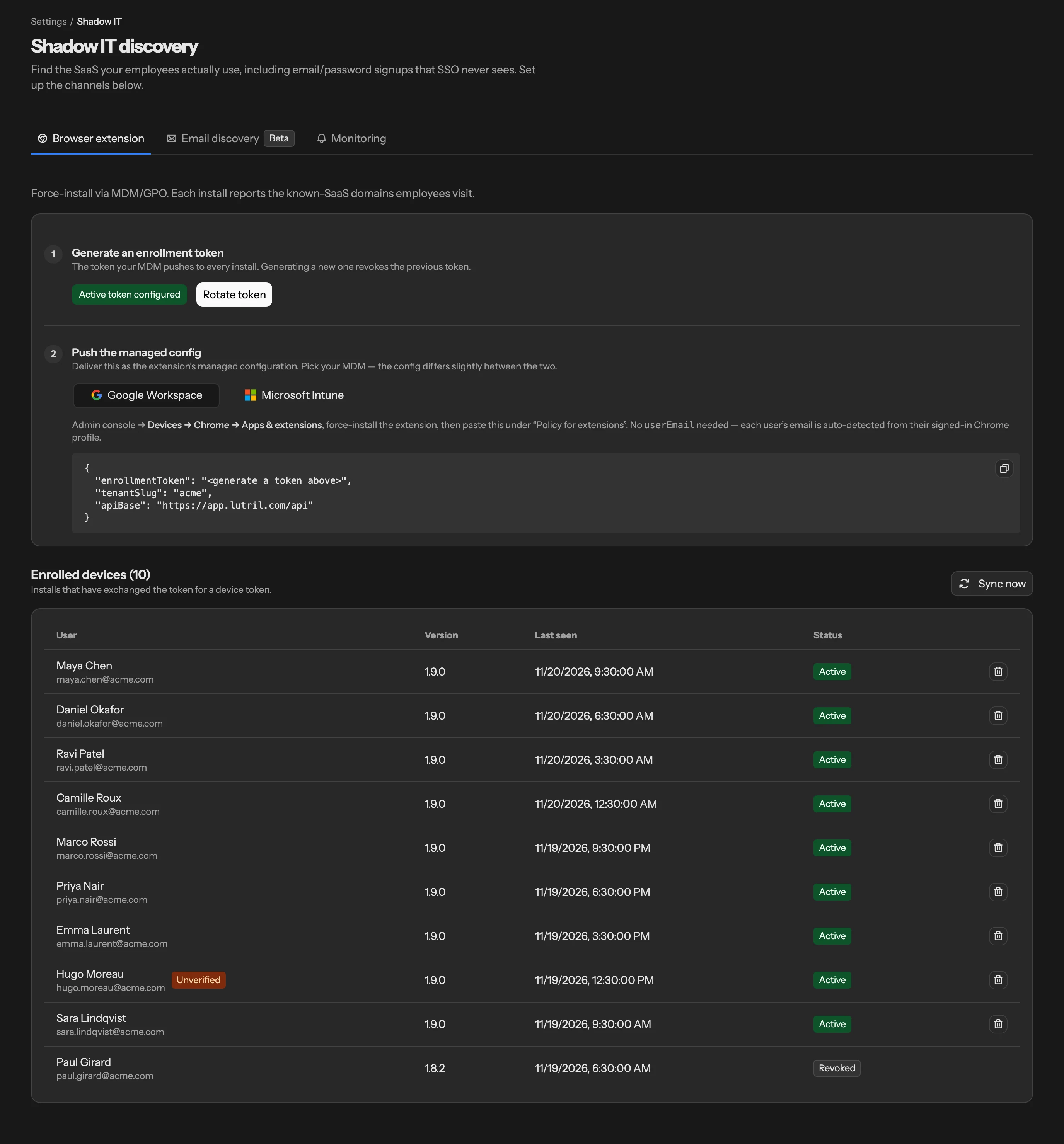
Generate an enrollment token
Click Generate token (or Rotate token if one already exists). Copy it right away: it is shown only once. Generating a new token revokes the previous one, so update the managed configuration whenever you rotate it.
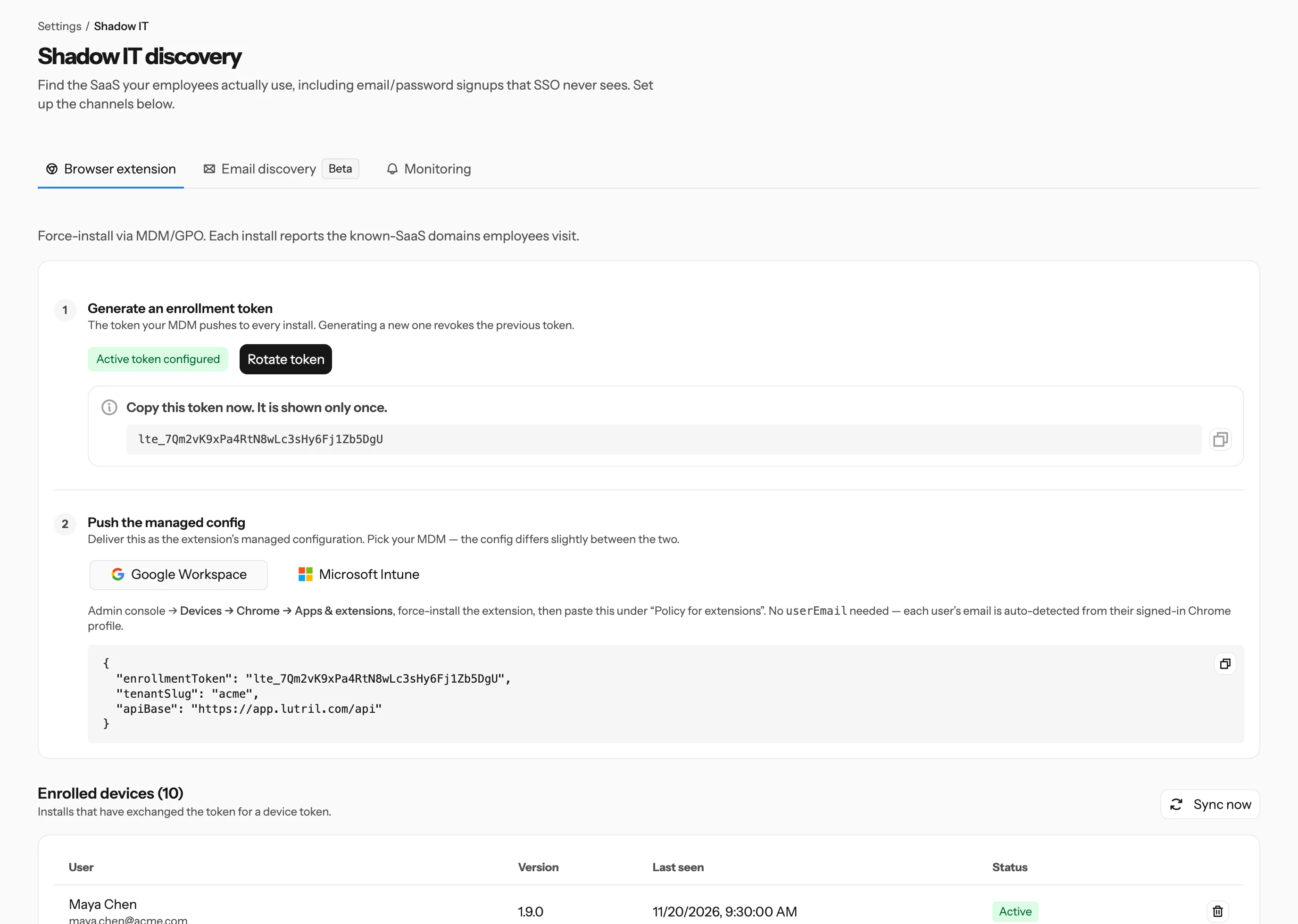
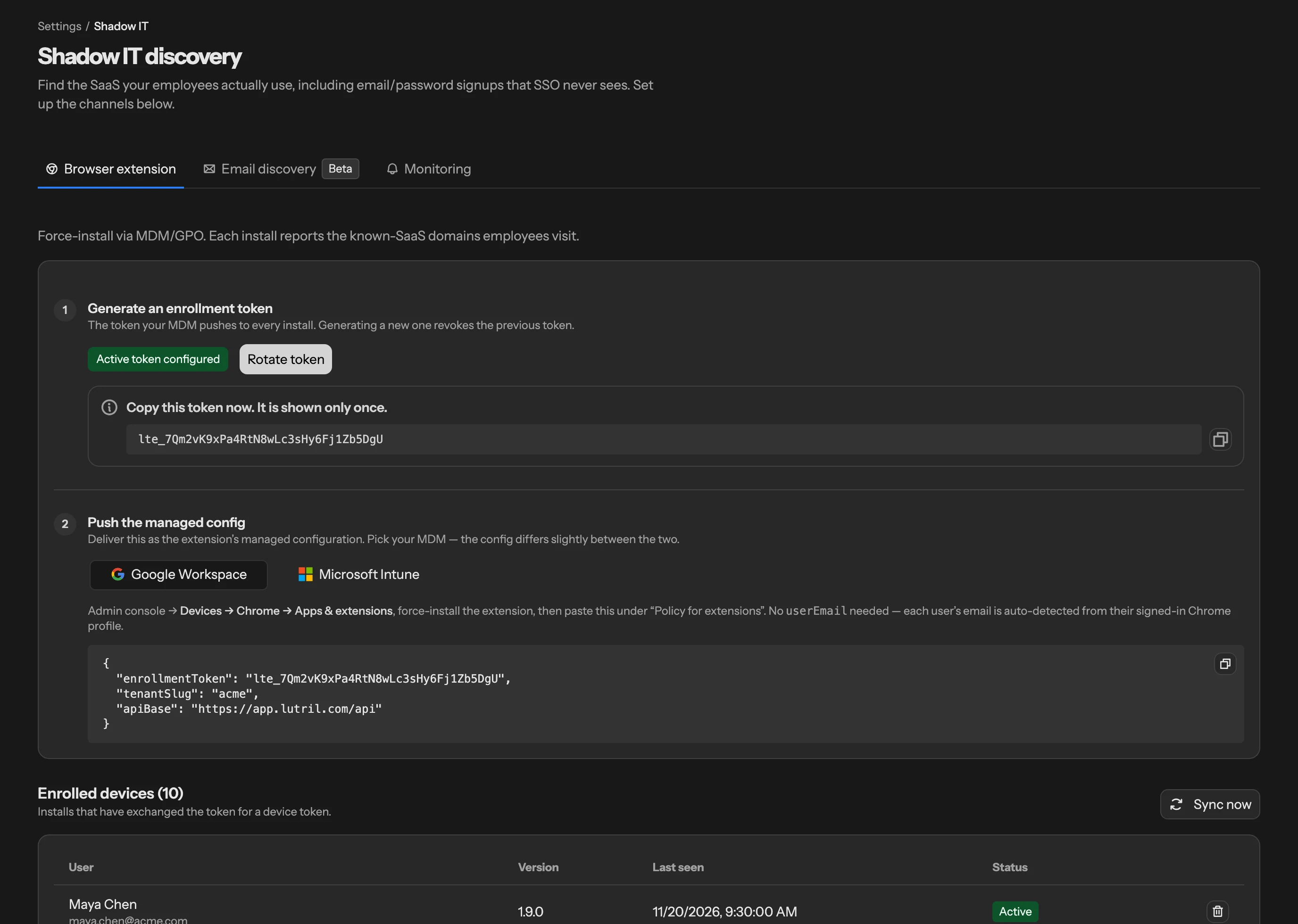
Push the managed configuration
Pick your device management platform. The configuration below the toggle already contains the token you just generated and your workspace; copy it with the copy button.
In the Google Admin console, open Devices > Chrome > Apps & extensions, force-install the Lutril extension for the organizational units you want, and paste the configuration under Policy for extensions.
{
  "enrollmentToken": "<your token>",
  "tenantSlug": "<your workspace>",
  "apiBase": "https://app.lutril.com/api"
}
No userEmail is needed: each install detects the employee's email from the signed-in Chrome profile.
Check the enrolled devices
Each install exchanges the enrollment token for its own device token and appears under Enrolled devices, with its user, extension version, last check-in and status.
An Unverified tag means the install claimed an email that no Lutril session has confirmed yet. The bin icon revokes a device.
What happens next
Lutril promotes the domains the extension reports into Shadow IT every 15 minutes. Sync now does it immediately and says how many apps it promoted.
Apps found this way carry the Browser Extension badge. On an app's page, each user's Activity shows Account when they are signed in to the app, Active for repeated visits, or Visited once. Because these apps hold no OAuth grant, they count as low risk and there is nothing to revoke: you decide on them with Approved or Blocked.
Review a vendor
Open a discovered app, see who uses it and what it can reach, then approve it, block it, ask the person who introduced it, or revoke its access.
Email discovery
Find SaaS accounts from signup and welcome emails, including the email and password signups that SSO and the browser extension miss.