MCP Discovery and the endpoint agent
What the read-only Lutril MCP agent does on a laptop, how to deploy it through your MDM on macOS, Windows and Linux, and how to review what it finds.
The Lutril MCP agent is a small, read-only program your IT team deploys to company laptops. It finds the MCP servers people have wired into their AI clients (Claude Code, Cursor, VS Code and others), and reports a description of each one to Lutril. The Discovery page then shows every MCP server configured across the fleet, who it belongs to, what it can reach, and how risky it is.
Found this agent running on your machine?
You probably arrived here from the lutril-mcp-agent systemd unit, the com.lutril.mcpagent LaunchDaemon, or the Lutril MCP Discovery Agent scheduled task. Your company deployed it.
- It reads the configuration files of the AI coding tools on this machine and sends a redacted description of the MCP servers it finds.
- It never runs any of those servers, changes a file, reads your documents or code, or sends a secret, an environment variable value or a file's contents.
- You can see exactly what it would send with
lutril-mcp-agent --dry-run(details below).
Questions about why it is installed go to your IT or security team.
What the agent is
lutril-mcp-agent is one self-contained binary written in Go, with no runtime and no third-party dependencies: the build fails if the module declares any. It runs on macOS, Linux and Windows, as a background service, and wakes up once an hour by default (with some random jitter, so a fleet does not report in lockstep).
| Platform | Runs as | Service |
|---|---|---|
| macOS | root | LaunchDaemon com.lutril.mcpagent, low-priority I/O, nice 10 |
| Linux | root, narrowed by systemd | lutril-mcp-agent.service, capped at 256 MB and 25% of one CPU |
| Windows | SYSTEM | Scheduled task Lutril MCP Discovery Agent, started at boot |
On Linux, the systemd unit mounts the whole filesystem read-only except the agent's own state directory (ProtectSystem=strict), keeps a single capability (CAP_DAC_READ_SEARCH, to read other users' homes) and filters system calls. The read-only promise is enforced by the kernel, not only by the code.
On Windows, a second, smaller program, lutril-mcp-wsl.exe, runs as each signed-in user through the scheduled task Lutril MCP Discovery (WSL), at sign-in and then hourly. WSL distributions are per user and invisible to SYSTEM, so this reader looks inside the ones that are already running and never starts a distribution, its services or its VM.
What it reads
- The local accounts on the machine.
- For each account, the configuration files of the MCP clients it knows: Claude Desktop, Claude Code, Cursor, VS Code, Windsurf, Cline, Roo Code, Continue, Zed, Codex CLI, Gemini CLI, Goose, Amazon Q, Kiro, LM Studio, opencode and JetBrains AI Assistant. It also reads the servers that Claude Code plugins bring, the machine-wide Claude Code configuration an administrator deploys (
managed-mcp.json), and Claude Desktop extensions. - Optionally (on by default), each user's working copies, for repository-scoped configs such as
.mcp.json,.cursor/mcp.jsonor.vscode/mcp.json. - Optionally (on by default), the process table, to tell which of those servers is actually running.
- To attribute the machine to a person: the work account Office was activated with (macOS), the signed-in Claude account, the git configuration, and the account a Chromium browser profile is signed in with. From a browser it reads that one field of its
Local Statefile and nothing else, and only addresses at one of your directory's domains are kept.
What leaves the machine
Sent, over HTTPS to your Lutril workspace: the hostname, the OS version, the local account names, the work addresses found above, and for each MCP server its name, which client configures it, whether it is personal or in a repository, the transport, the command and the shape of its arguments, the names of the environment variables and HTTP headers it uses, the package it pulls in and whether that package is pinned, the scheme and host of a remote server's URL, a home-relative path to the config file and that file's permission bits, whether it is disabled or running, and a list of finding identifiers from a fixed vocabulary.
Never sent: the value of any environment variable or HTTP header, the contents of any file, any absolute path containing a username, the query string or credentials of any URL, URL path segments that look like keys or identifiers, the command line of any running process, the names of the repositories found while walking (Lutril only receives a short digest of the path), or anything an MCP server itself has access to.
What it never does
- It never executes a discovered command. Listing a local server's tools would mean running whatever its config file says, which is exactly the risk it reports.
- It never writes outside its own state directory, and it never changes or removes a configuration. There is no remediation, quarantine or kill switch on the device.
- It never follows a symlinked directory while walking.
- It never opens browser history, cookies, bookmarks, documents or repository contents.
Check it yourself
Before you deploy anything, run the agent once on any machine:
lutril-mcp-agent --dry-runIt prints the exact payload this machine would send, needs no configuration, no token and no network, and sends nothing. It is the recommended first step of any evaluation and the quickest answer to "what does this thing know about me".
Deploy the agent
Before you start
- You need the Owner or Admin role in Lutril.
- You need an MDM that can run a script as root (macOS, Linux) or SYSTEM (Windows): Intune, Jamf, Kandji, Mosyle or Workspace ONE all work.
- On macOS, plan to push a Full Disk Access profile alongside the installer (see Full Disk Access on macOS).
Lutril builds one installer script per platform with your workspace's enrollment token already inside. The script downloads the agent from your Lutril workspace, checks its SHA-256 digest against the value baked into the script, writes the configuration file, and registers the service. There is no package to sign and nothing to wrap.
Open the deploy panel
In the sidebar, under AI Governance, open Discovery, then click Deploy the agent at the top right.
Create the enrollment token
If no token exists yet, click Create token. A workspace has one active token at a time; the panel shows when it was created and by whom, with Rotate and Revoke beside it.
The token is a fleet credential: each machine presents it once, on its first run, and exchanges it for a credential of its own.
Download the installer for each platform
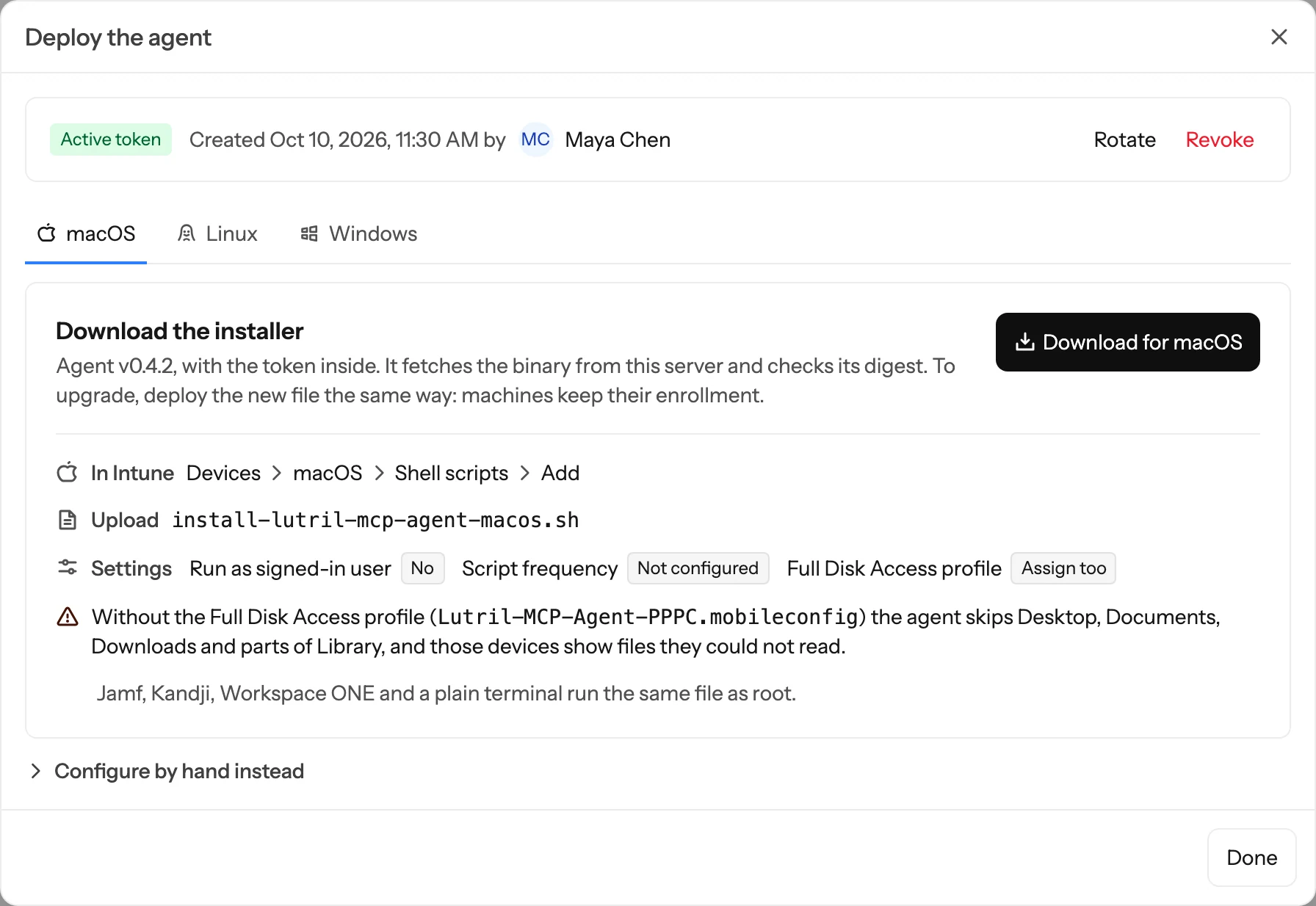
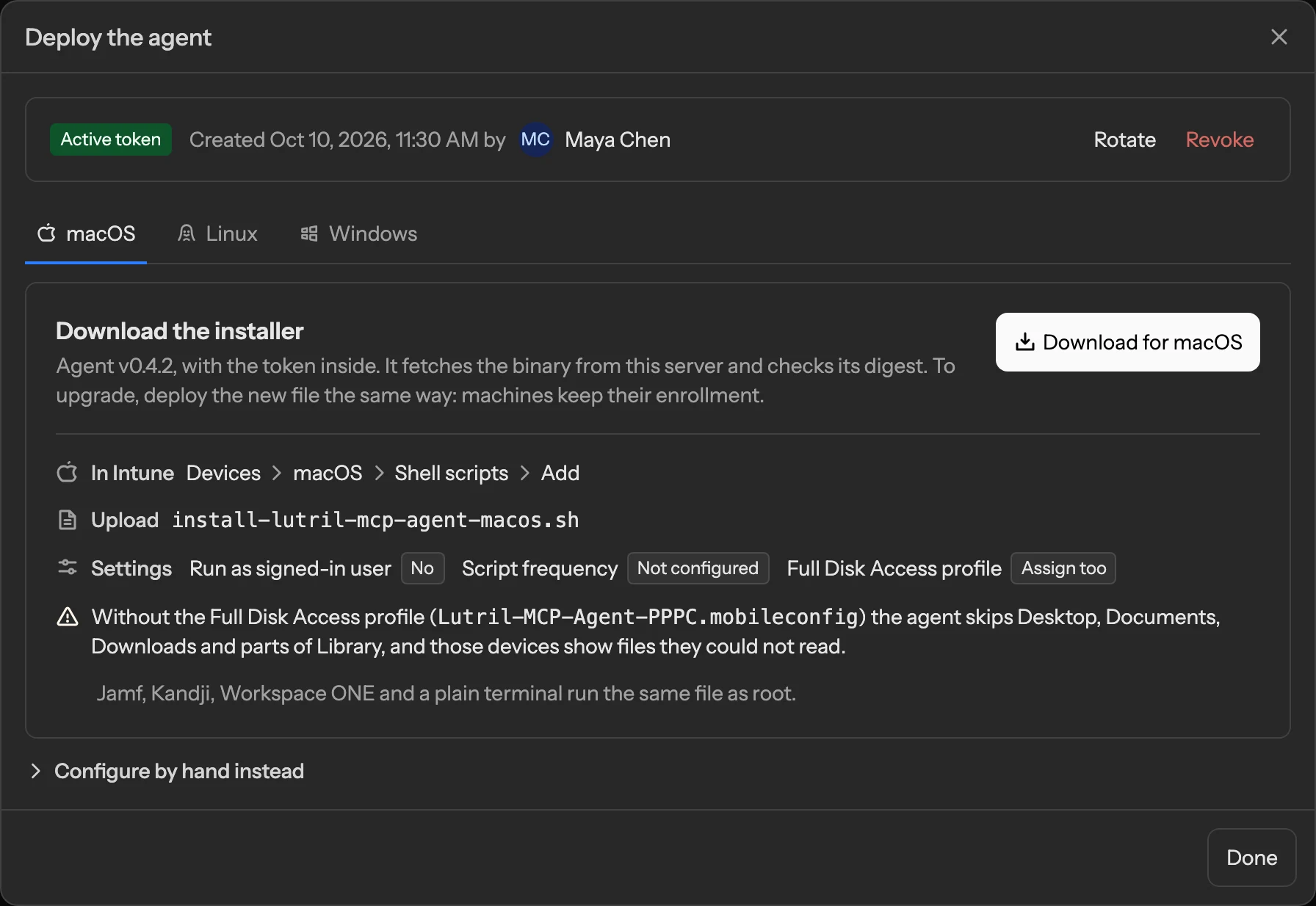
Pick macOS, Linux or Windows and click Download for that platform. The panel shows the agent version and, under it, where the file goes in Intune and the settings to use.
Assign it in your MDM
Upload the file as a platform script and assign it to your device groups.
Intune: Devices > macOS > Shell scripts > Add. Upload install-lutril-mcp-agent-macos.sh with Run script as signed-in user set to No and Script frequency left Not configured. Assign the Full Disk Access profile to the same group.
Jamf, Kandji, Mosyle, Workspace ONE: run the same file as a root script. By hand: sudo bash install-lutril-mcp-agent-macos.sh.
The agent is installed to /Library/Application Support/Lutril/bin/lutril-mcp-agent, deliberately not /usr/local/bin, which Homebrew can hand to a regular user.
Watch devices arrive
Each machine reports within a minute of the install. Open the Devices tab on the Discovery page to follow the rollout.
Full Disk Access on macOS
macOS withholds Desktop, Documents, Downloads and parts of ~/Library from any process without Full Disk Access, root included. Without it the agent still reads most clients but misses part of each home, and the device shows as Partial on the Devices tab.
Push a Privacy Preferences Policy Control (PPPC) configuration profile from your MDM that grants SystemPolicyAllFiles (Full Disk Access) with:
| Field | Value |
|---|---|
| Identifier | /Library/Application Support/Lutril/bin/lutril-mcp-agent |
| Identifier type | Path |
| Code requirement | the output of codesign -dr - "/Library/Application Support/Lutril/bin/lutril-mcp-agent" |
| Access | Allow |
Lutril provides a ready-made profile, Lutril-MCP-Agent-PPPC.mobileconfig; ask your Lutril contact for it. A PPPC payload is only honoured when an approved MDM delivers it, and one whose code requirement does not match the binary is silently ignored, which looks exactly like having no profile.
Configure by hand
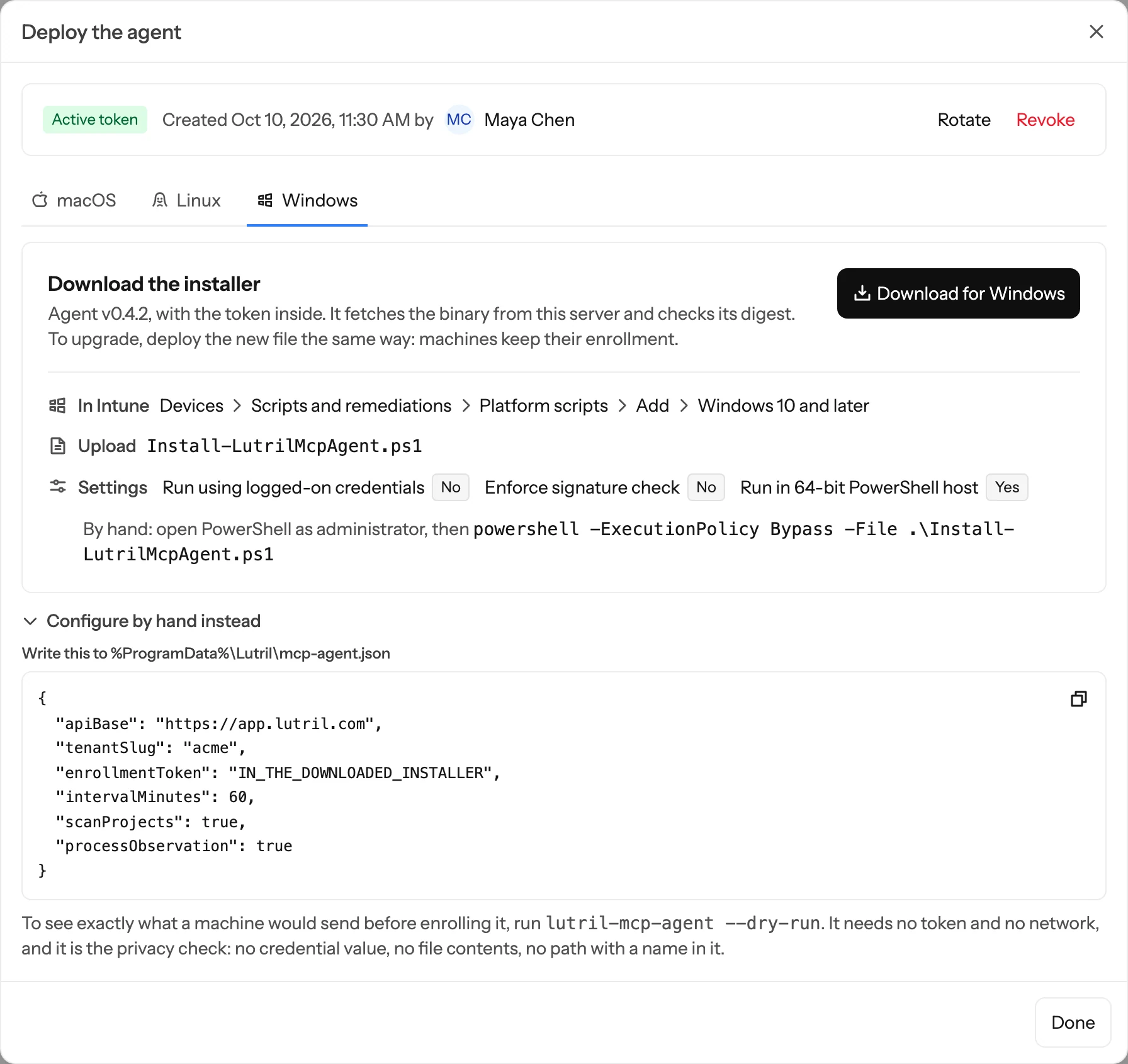
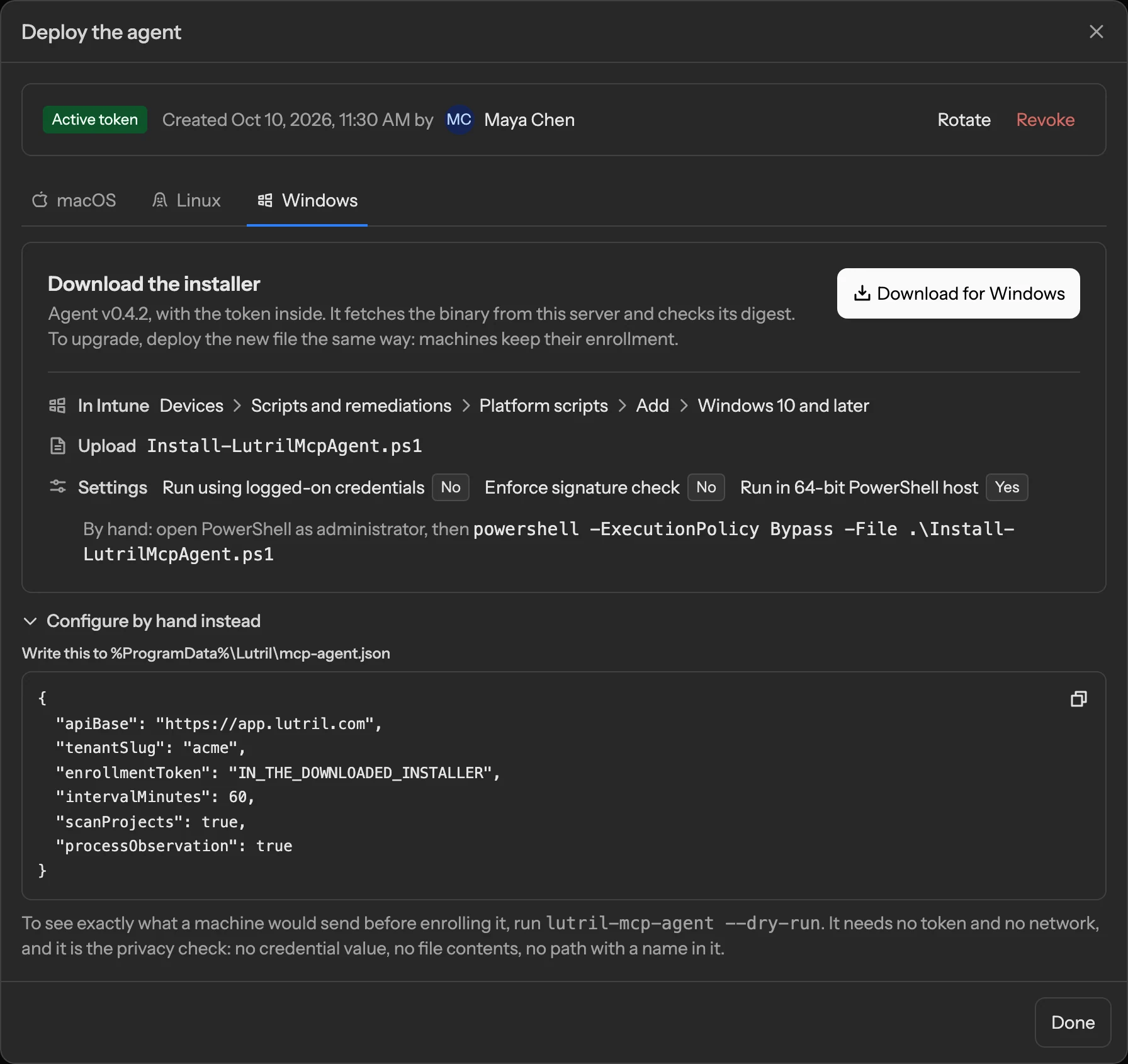
For an MDM that cannot run the installer, open Configure by hand instead at the bottom of the panel. It shows the configuration file for the selected platform and where to write it; you deploy the binary and the service yourself.
| Platform | Configuration file | State (device credential) |
|---|---|---|
| macOS | /Library/Application Support/Lutril/mcp-agent.json | /Library/Application Support/Lutril/state |
| Linux | /etc/lutril/mcp-agent.json | /var/lib/lutril-mcp-agent |
| Windows | %ProgramData%\Lutril\mcp-agent.json | %ProgramData%\Lutril\state |
| Key | Default | Meaning |
|---|---|---|
apiBase | https://app.lutril.com | Your Lutril address. Must be HTTPS. |
tenantSlug | required | Your workspace. |
enrollmentToken | required | The fleet token, exchanged once for a per-device credential. |
enrollmentTokenFile | A file holding the token, for MDMs that deliver secrets separately. Wins over enrollmentToken. | |
intervalMinutes | 60 | Between 15 and 1440. |
scanProjects | true | Walk working copies for repository-scoped configs. |
processObservation | true | Read the process table to fill the running state. Turn it off if your policy forbids process enumeration; nothing else is lost. |
logLevel | info | debug for troubleshooting. Nothing secret is logged at any level. |
Every key can also be set as an environment variable (LUTRIL_TENANT_SLUG, LUTRIL_API_BASE, and so on). The file holds the fleet token: keep it 0600 and root-owned on macOS and Linux.
Upgrade, rotate and revoke
- Upgrade: download the installer again and deploy it the same way. Re-running it replaces the binary and the service and keeps each machine's enrollment, so the device keeps its history.
- Rotate: the old token stops working for new machines, and installers built from it stop working too. Devices already enrolled keep reporting. Download the installers again after a rotation.
- Revoke: no new device can enroll until you create another token. Enrolled devices are unaffected.
What the Discovery page shows
The four cards at the top count the definitions nobody has decided about yet (Not decided), all Definitions across the fleet, the Critical ones, and the installs that keep a Credential in cleartext. That last one counts installs, not definitions, because a credential written into a file belongs to that one file.
Servers, grouped by definition
A thousand installs are usually a few dozen distinct servers. A definition is one server identity: the command, the shape of its arguments, the names of the variables and headers it reads, and the origin of a remote URL. Every laptop that configures the same thing shares the definition, whatever name its owner gave it.
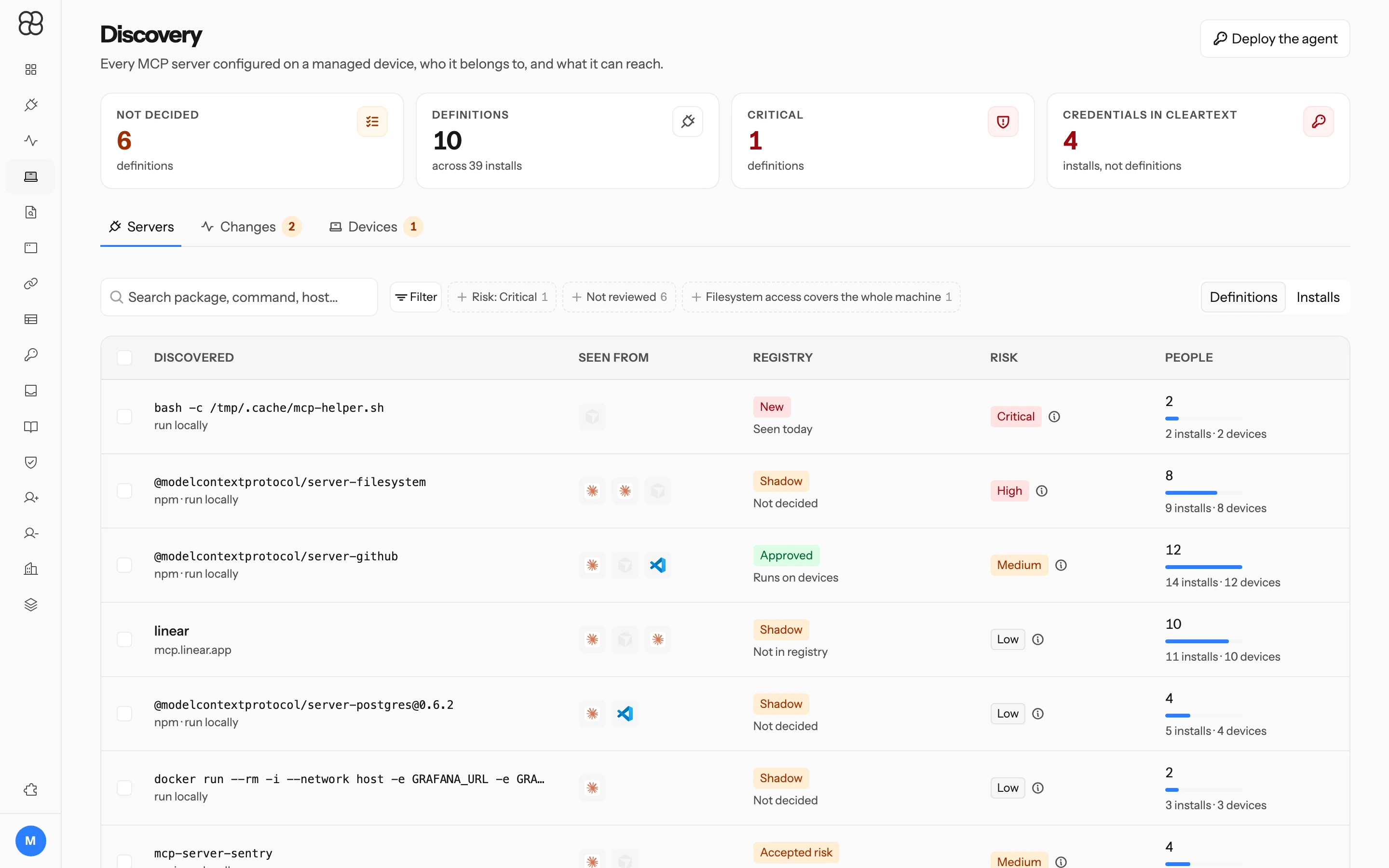
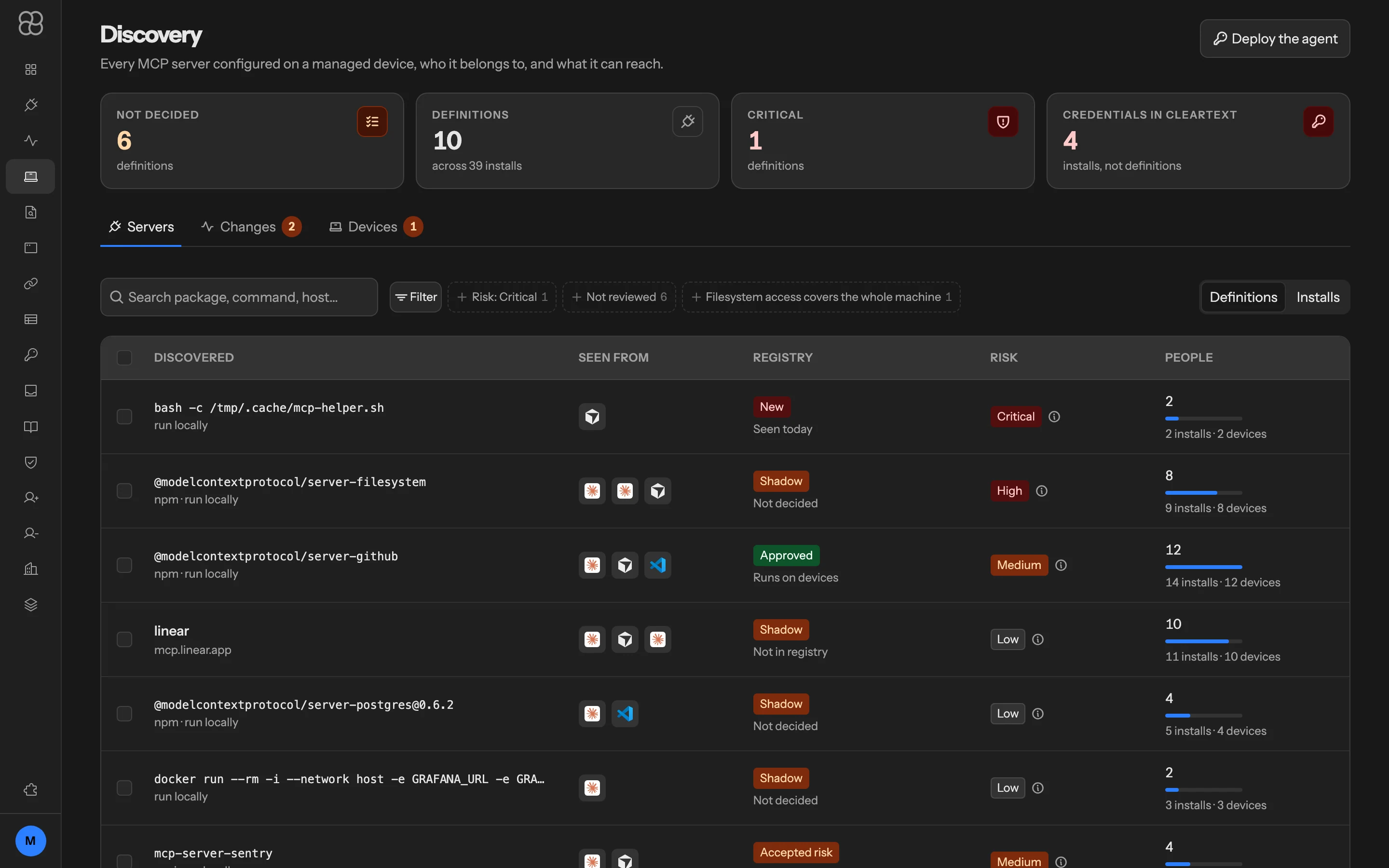
| Column | What it tells you |
|---|---|
| Discovered | The package, the remote origin or the command, and where it runs. A Plugin tag means a Claude Code plugin brings it rather than a person. |
| Seen from | The AI clients it was found in. |
| Registry | New (first seen today), Shadow (nobody decided), Approved, Accepted risk or Rejected. A remote server says whether it is in your MCP registry. |
| Risk | Critical, High, Medium or Low. Hover the info icon for the findings behind it. |
| People | How many people have it, with installs and devices underneath. |
Use the search and Filter (by Risk, Review, Where, Source, Client and Finding) to narrow the list. Switch to Installs at the right of the toolbar to see one row per copy: the person, the device, the exact client config, and whether it is Running.
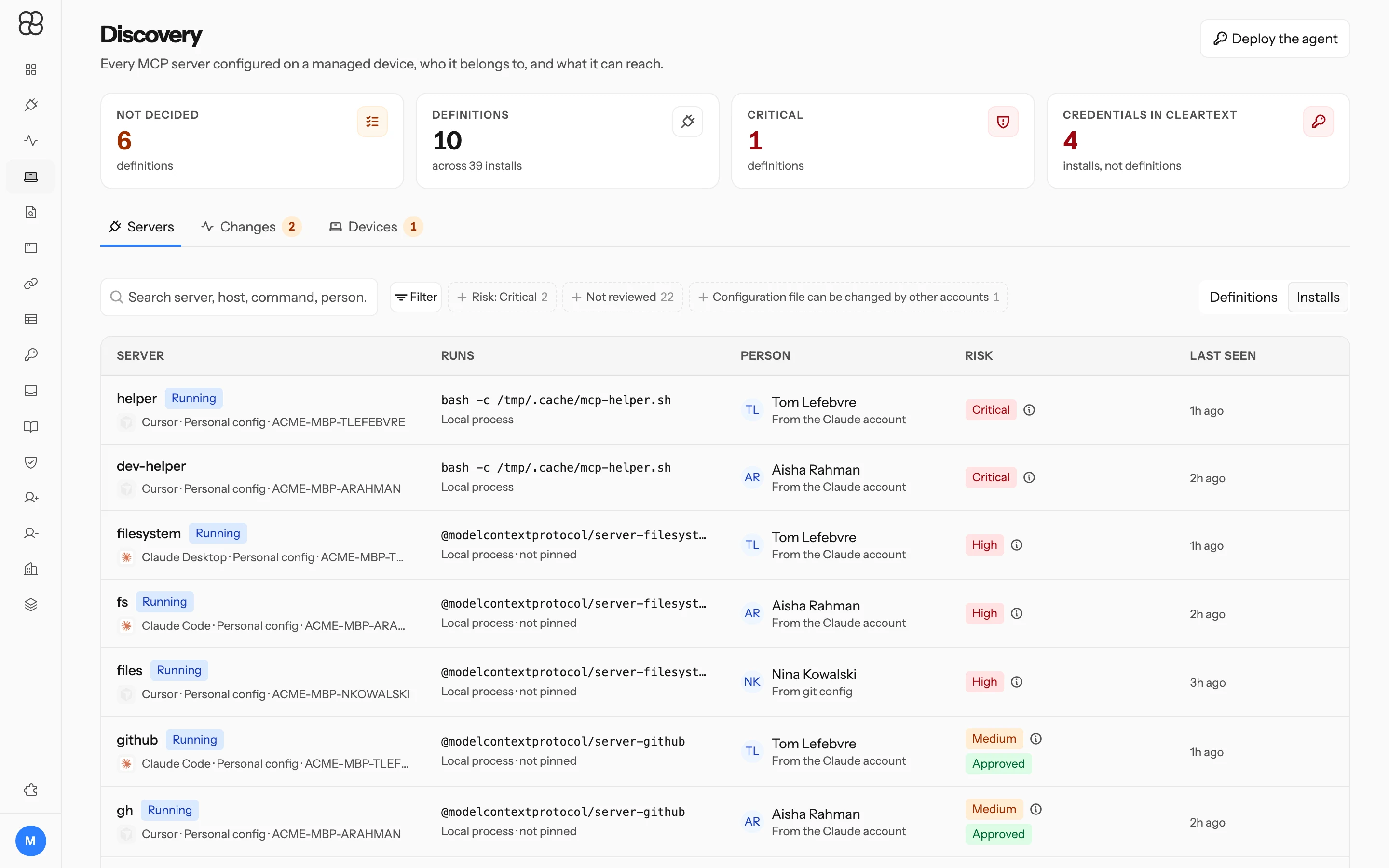
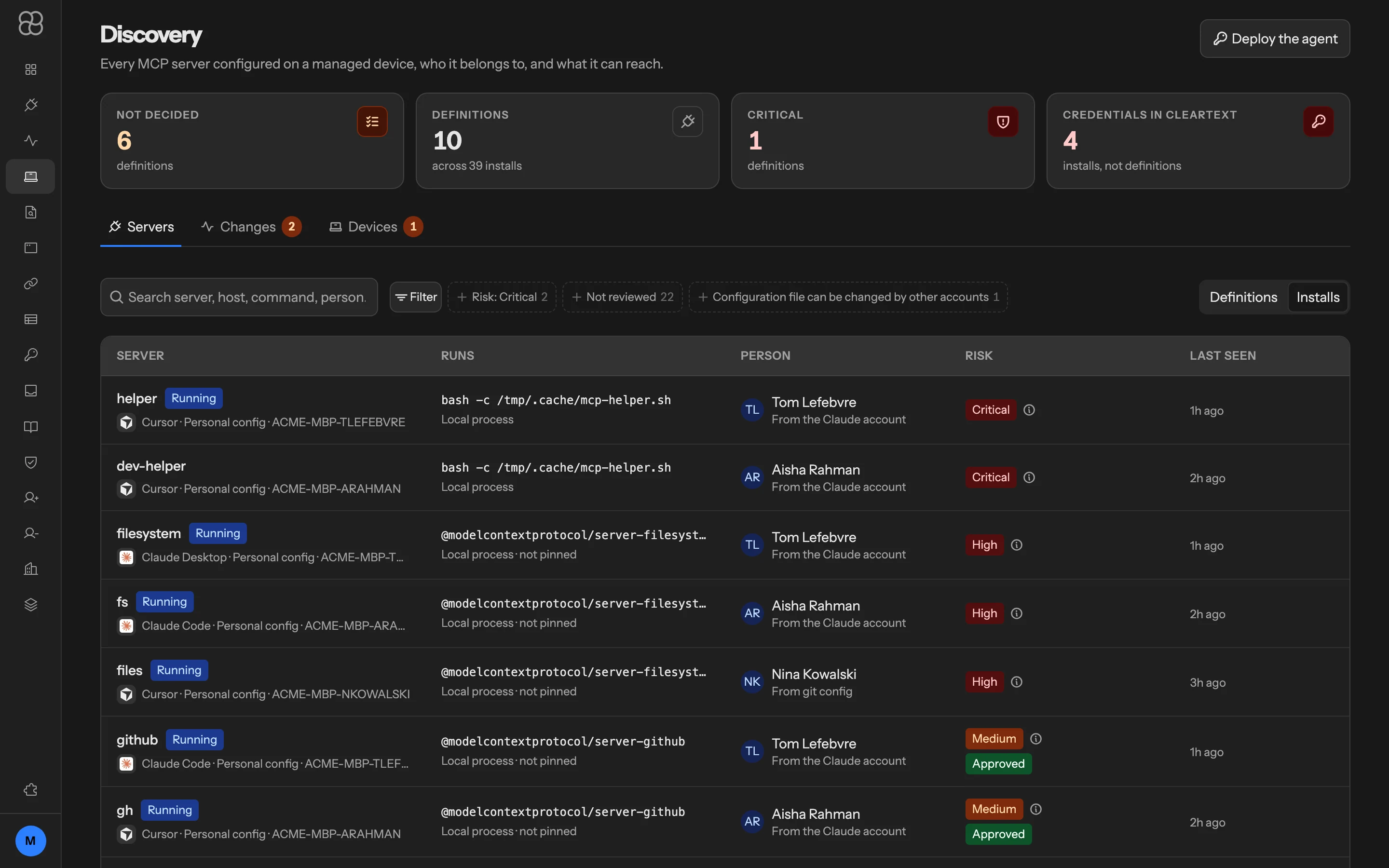
A person's address comes from what the agent found on the device (the Claude account, git configuration, Microsoft 365 or a browser profile), and the row says which. Lutril never treats it as verified.
Risk signals
The agent only reports observations; Lutril scores them. Each finding adds points to a score out of 100: Critical from 70, High from 45, Medium from 20, Low below. Findings that follow from the definition itself are true on every install of it. Others belong to one copy on one machine, such as a credential written into a file, and a decision about the definition never clears them.
| Finding | Points | Belongs to |
|---|---|---|
| Definition changed after it was first seen | 35 | the install |
| Container has the Docker socket | 35 | the definition |
| Configuration file can be changed by other accounts | 30 | the install |
| Container runs privileged | 30 | the definition |
| Private key in the configuration file | 30 | the install |
| Filesystem access covers the whole machine | 30 | the definition |
| Container mounts a sensitive host path | 25 | the definition |
| Connects over plain HTTP | 25 | the definition |
| Credential stored in cleartext | 25 | the install |
| Runs a script from a download or temporary folder | 20 | the definition |
| Code loaded from an unattributed source | 20 | the definition |
| Authentication could not be confirmed | 20 | the definition |
| Credential readable by other accounts on this machine | 20 | the install |
| Launched through a shell | 20 | the definition |
| Filesystem access covers a whole top-level folder | 15 | the definition |
| Configuration file is writable by its group | 15 | the install |
| Container shares the host network | 15 | the definition |
| Package version is not pinned | 15 | the definition |
| Credential passed on the command line | 15 | the definition |
| Downloads and runs code at every launch | 10 | the definition |
| Could not determine how this server runs | 10 | the definition |
| Uses the superseded SSE transport | 5 | the definition |
| Runs on this machine over localhost | 0 | the definition |
| Risk increased since the previous report | 0 | the install |
| Credentials referenced, not embedded | -5 | the definition |
Changes
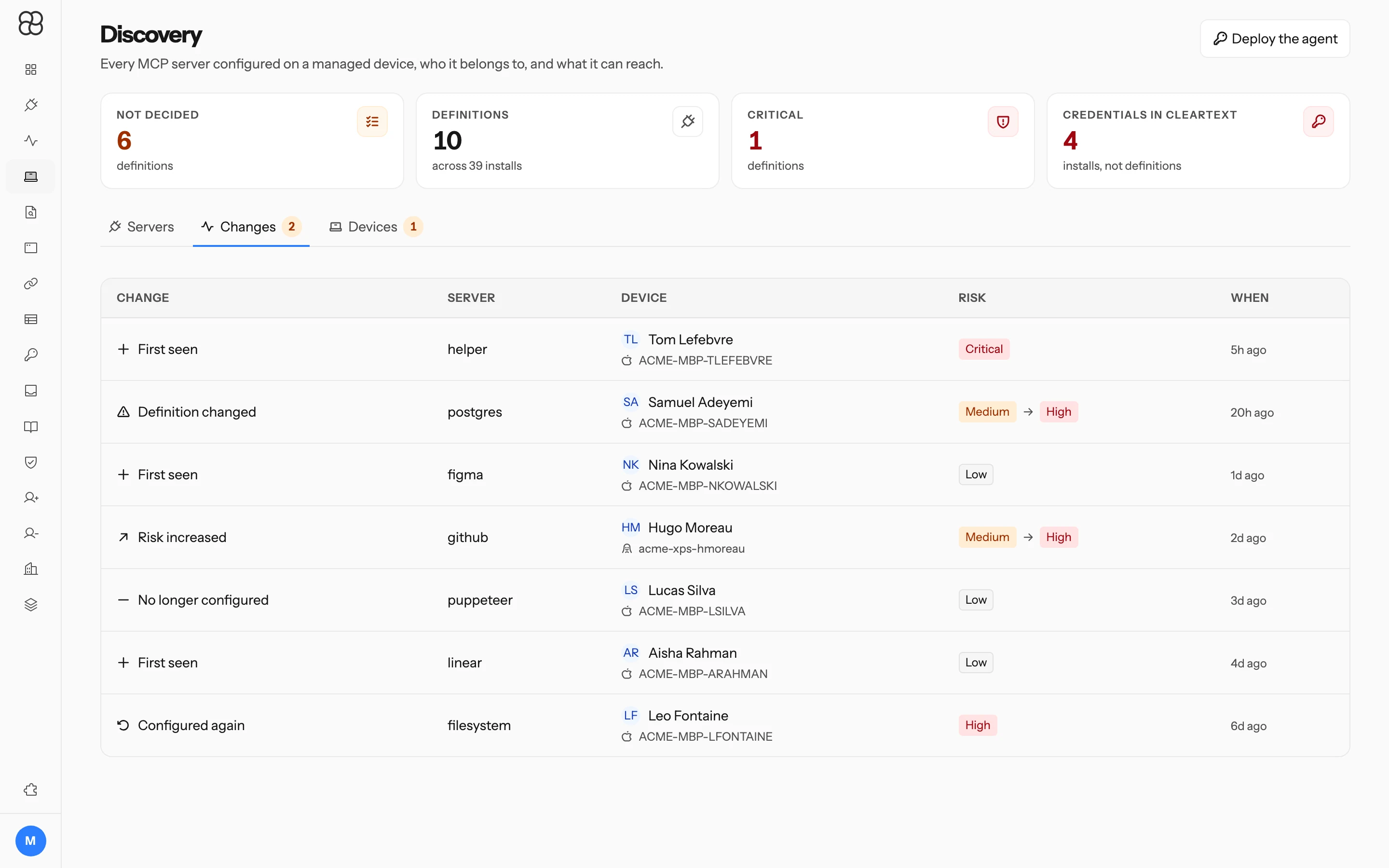
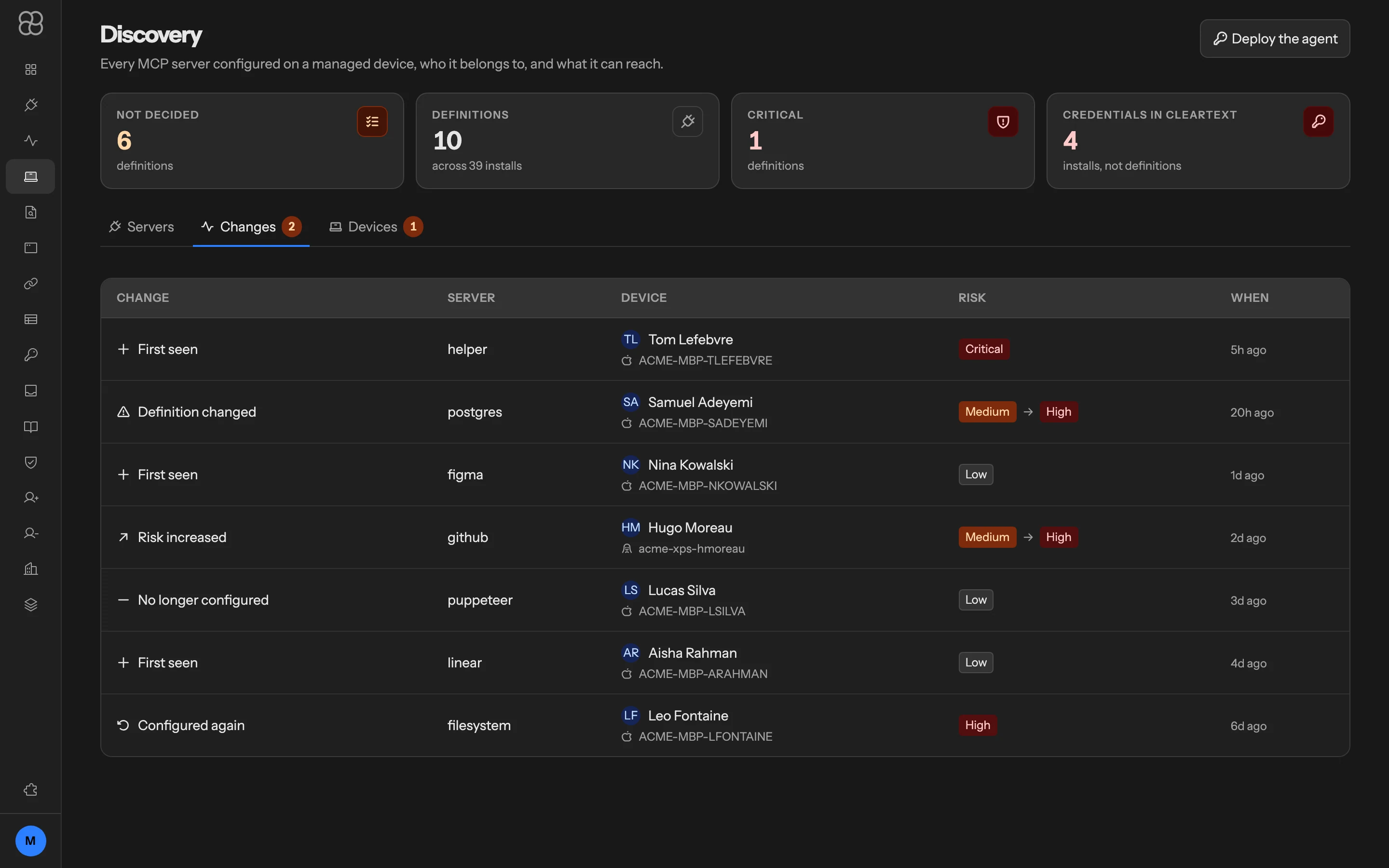
The Changes tab lists what moved recently: servers First seen, a Definition changed after it was first seen (the case to look at first: an approved server that now runs something else), Risk increased, Configured again and No longer configured.
Devices
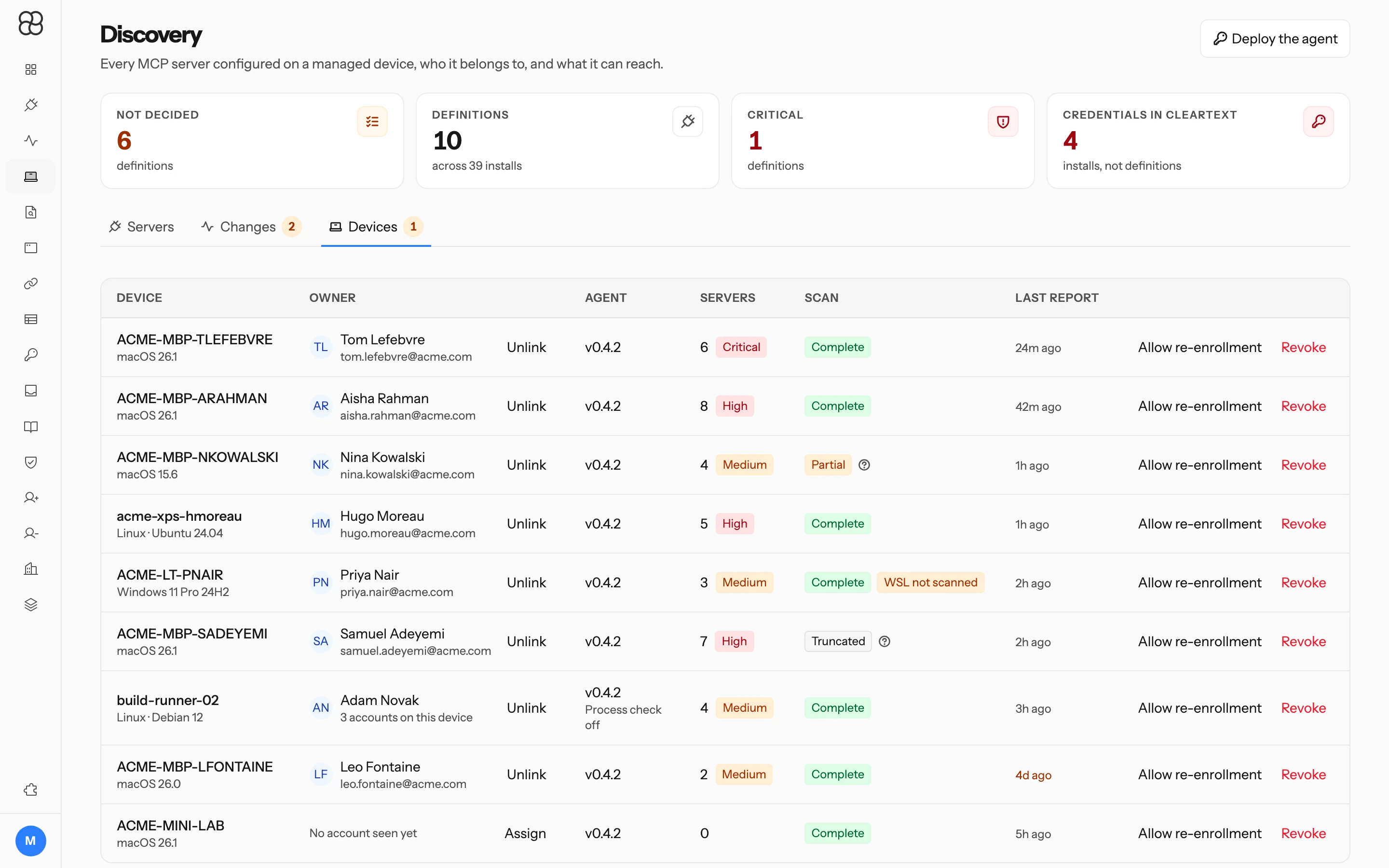
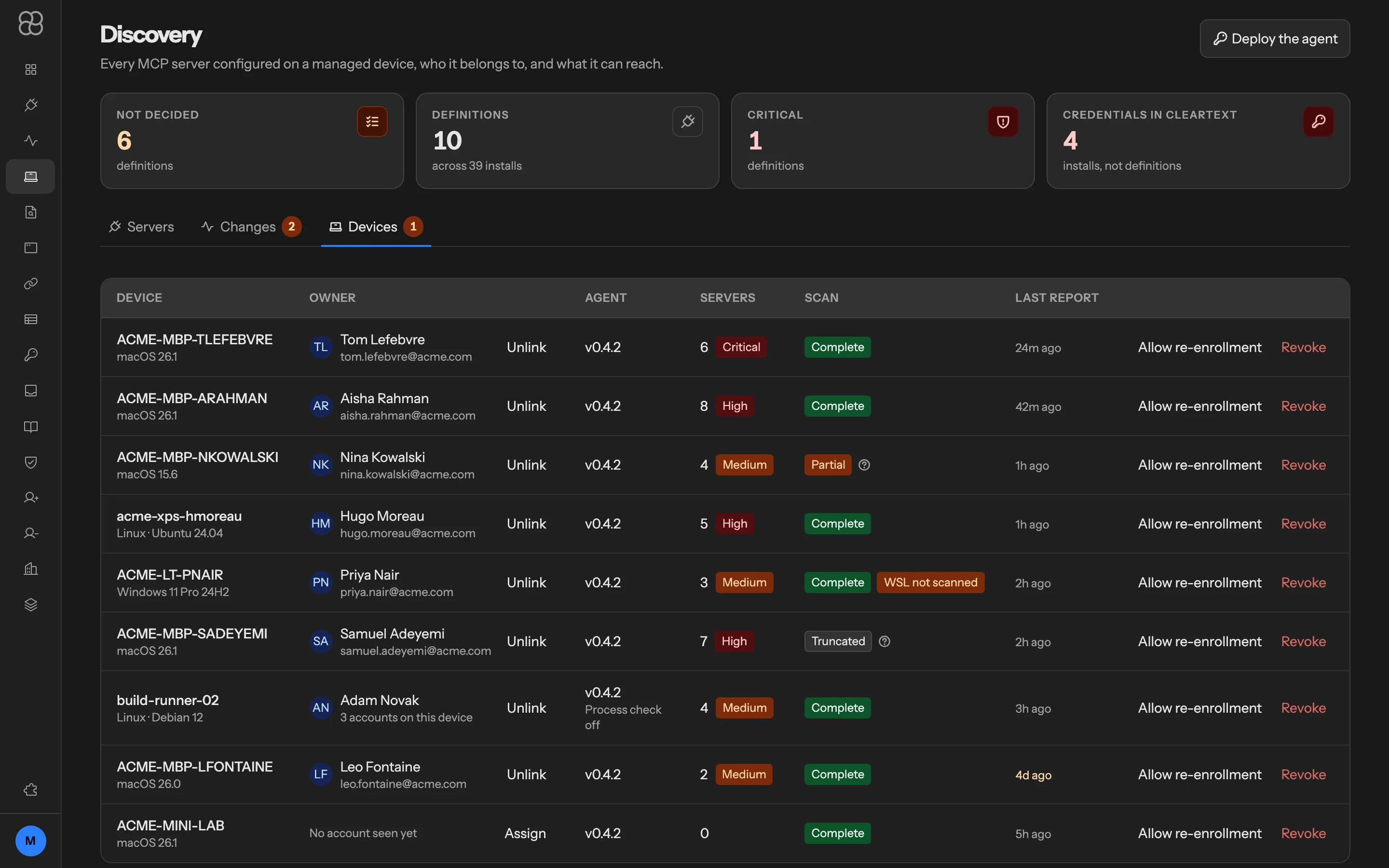
The Devices tab answers "is the fleet actually reporting". Each row shows the device and OS, its Owner, the Agent version, how many Servers it has and the worst risk among them, how the last Scan went, and the Last report. A report older than 48 hours shows in amber, and the tab's badge counts those devices.
| Scan | Meaning |
|---|---|
| Complete | Everything the agent looked for was read. |
| Partial | Something could not be read or parsed. An empty result from a partial scan is not a clean machine. On macOS this almost always means the Full Disk Access profile is missing. |
| Truncated | The repository walk hit its limit. What it found is accurate; there may be more. Normal on a machine with hundreds of repositories. |
| WSL not scanned | A WSL distribution on this Windows machine has not been read yet, because it has not been running while its user was signed in. |
From a device row you can:
- Assign an owner when nothing on the device names one, or Unlink an owner when a machine was handed to someone else.
- Revoke a device: its next report is refused and its servers stop counting. The agent stays installed. Restore undoes it.
- Delete a revoked device to remove its servers and history. Decisions about definitions are kept.
- Allow re-enrollment for one hour, when a reinstalled machine lost its credential. The first enrollment closes the window.
Review a definition
Click a row to open its definition. What it runs spells out the command, transport, package, the variables it reads (names only) and the names people gave it. Why this definition scores lists each finding with what it means and what to do about it.
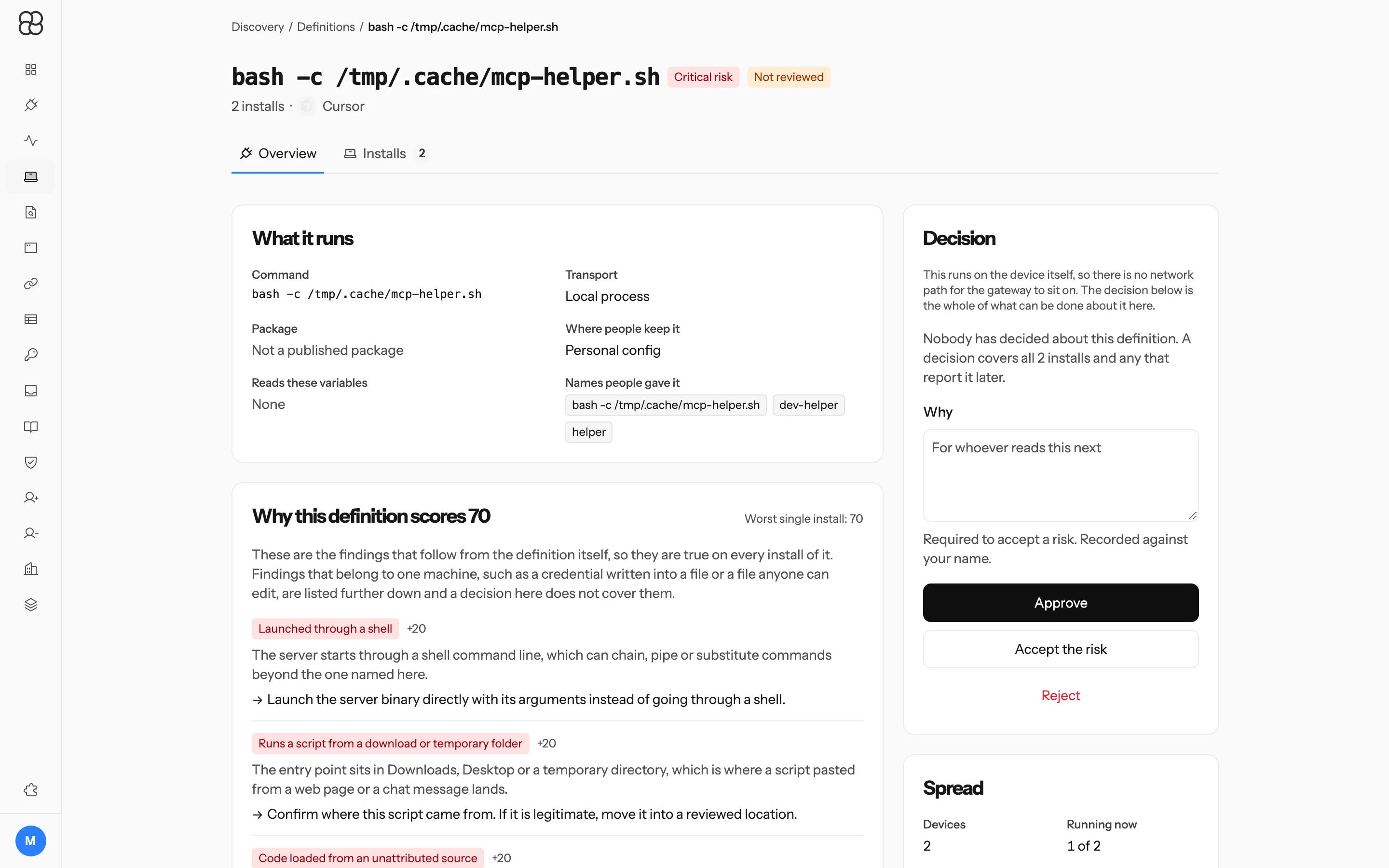
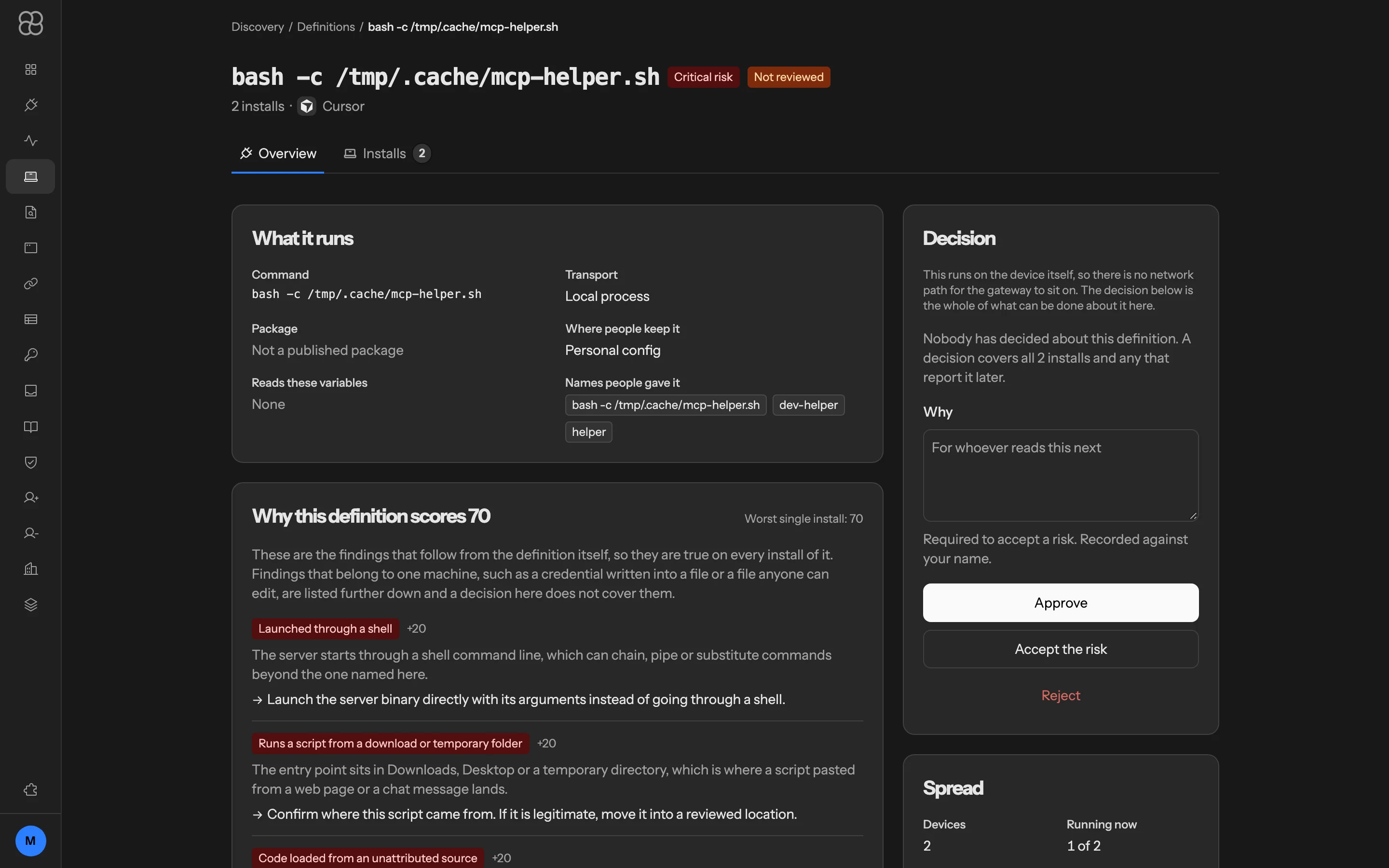
In the Decision panel, add a note under Why and choose:
- Approve: the definition is fine to run.
- Accept the risk: allowed despite its findings. The note is required.
- Reject: it should not be configured anywhere. Lutril does not remove it from devices; their owners have to.
A decision is a standing rule: it covers every install today and any laptop that reports the same definition later. It never covers install-level findings like a cleartext credential, which stay listed under Installs until the file on that machine changes. To decide about many at once, tick them in the list and use Approve, Accept the risk or Reject in the bar that appears; the confirmation tells you how many installs the decision covers.
Promote a remote server to the registry
A remote MCP server people already use (an HTTP or SSE URL) can be put behind the Lutril gateway in one step, so it gets OAuth, tool permissions, argument rules, a kill switch and a log line per call. A local server runs on the device itself, so there is no network path for the gateway to sit on; for those, the decision is all there is.
Open the definition
Open a remote definition (its Registry column reads Not in registry) and click Promote to registry in the Decision panel.
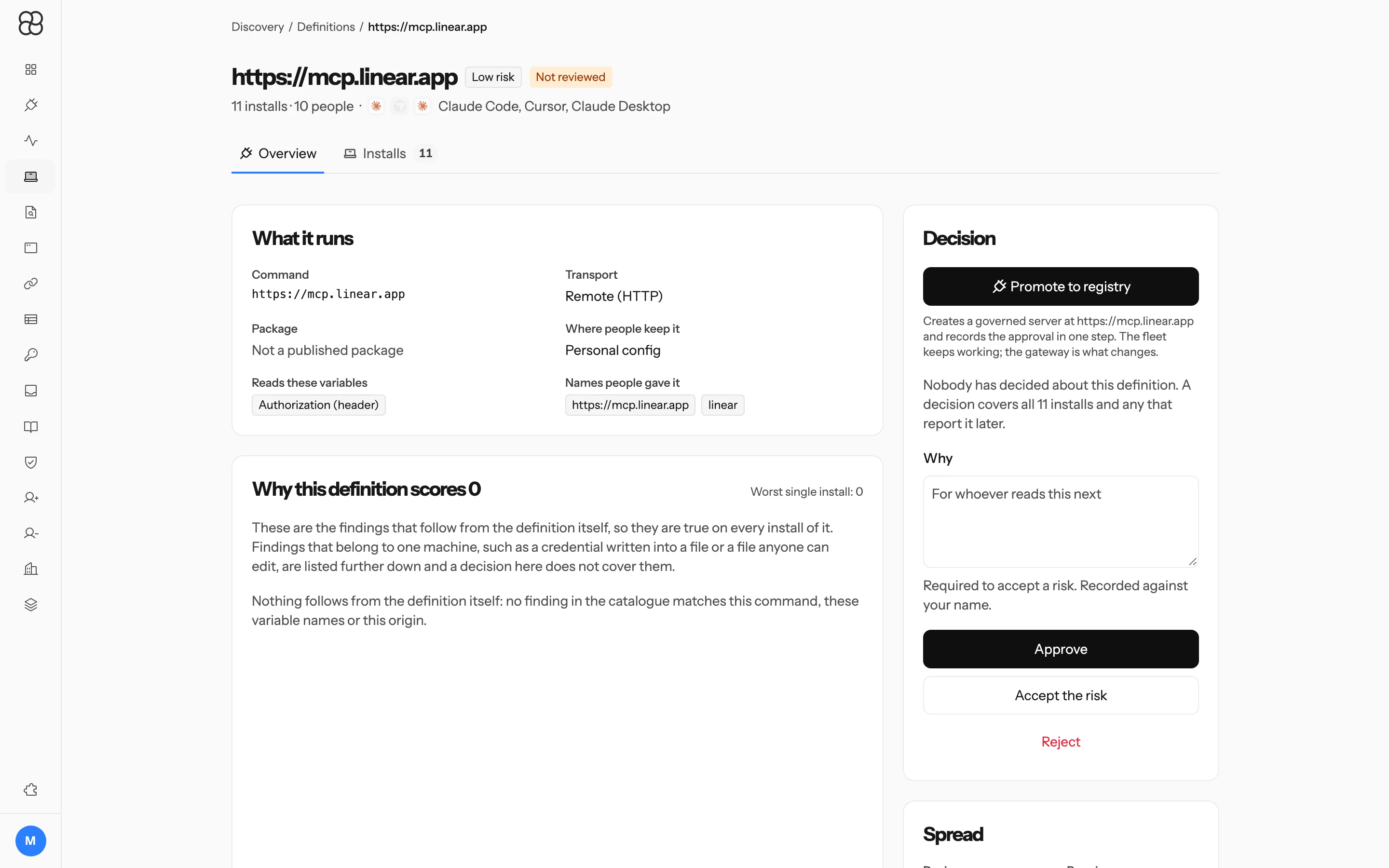
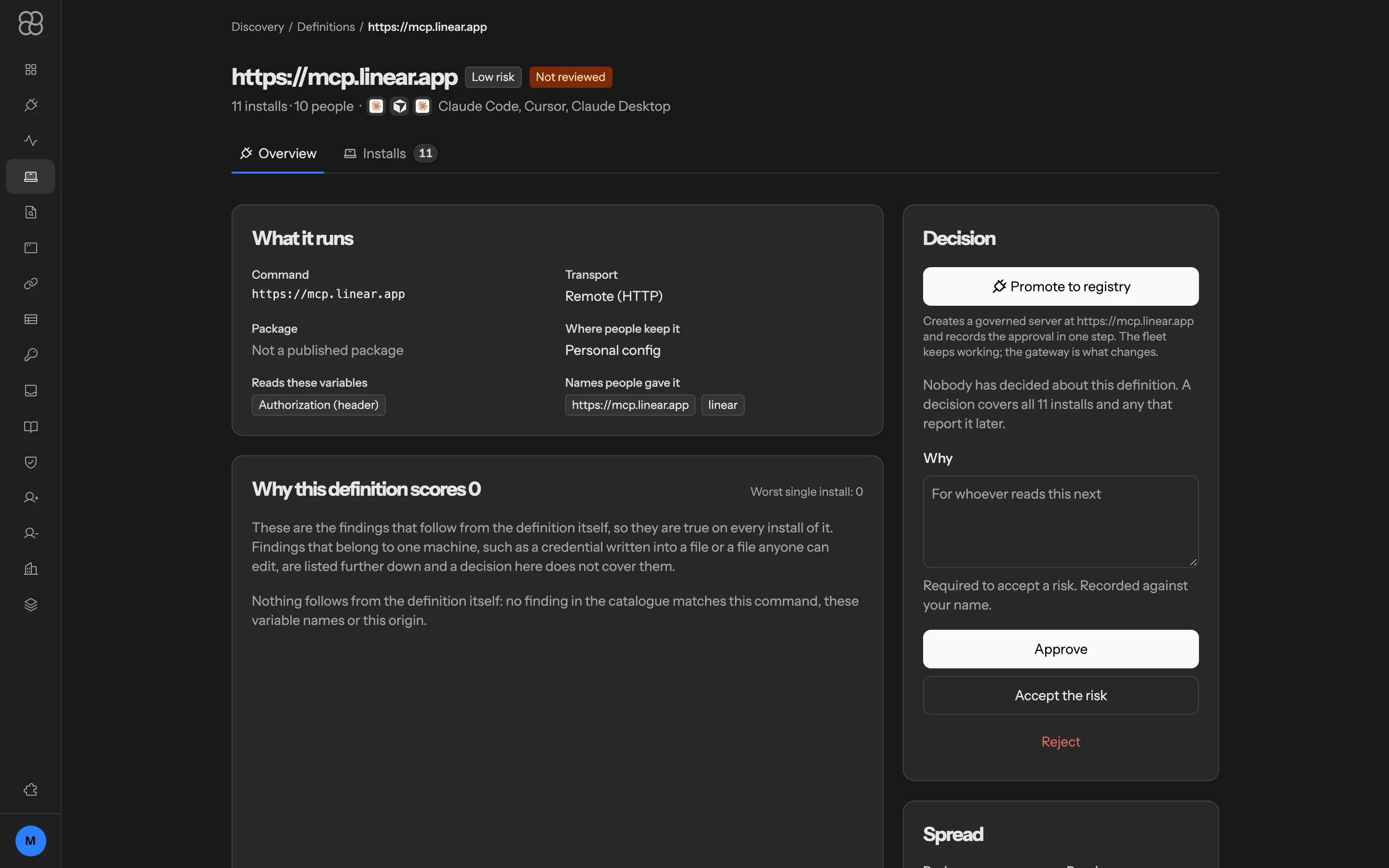
Complete the form
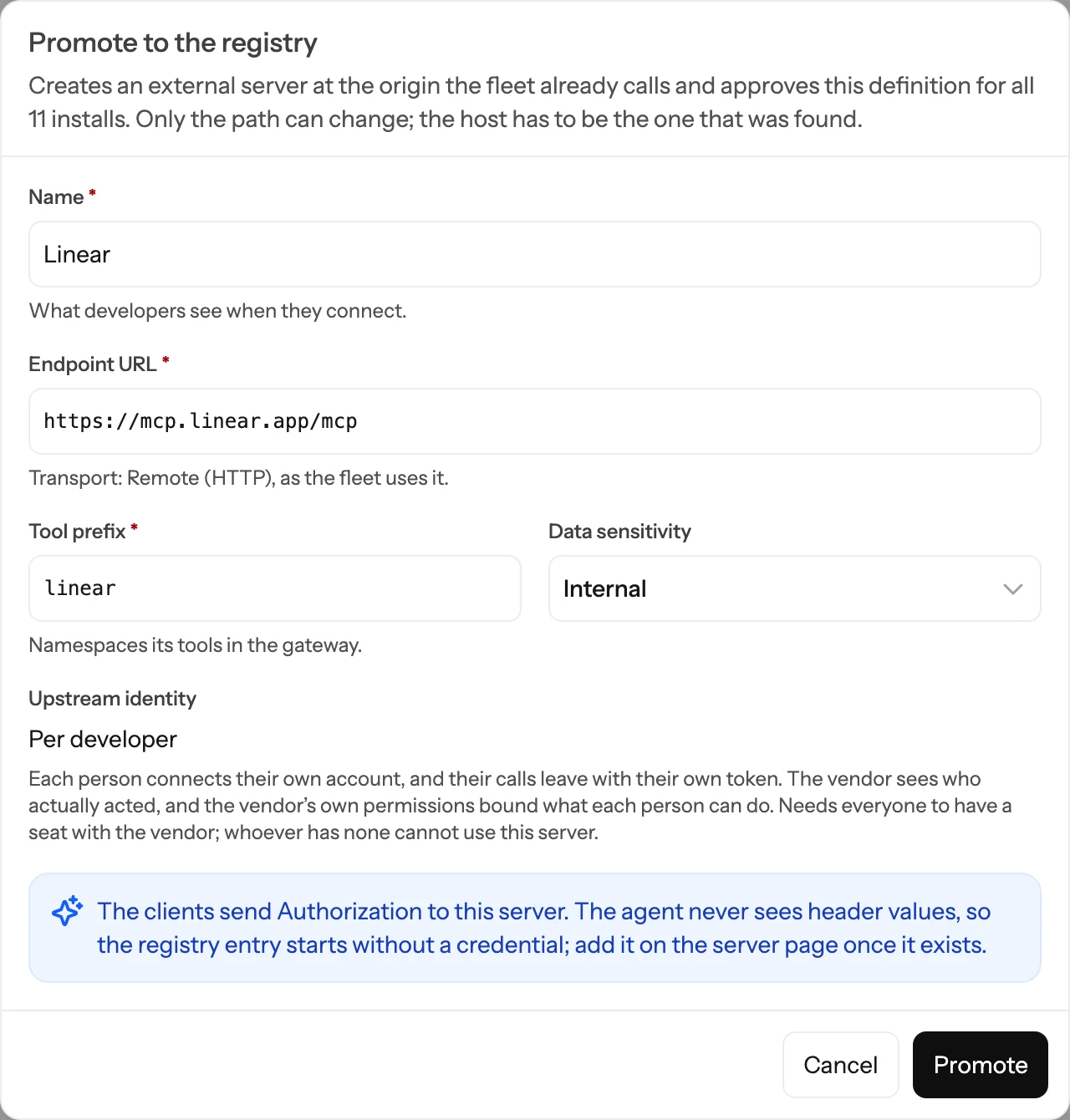
Name and Tool prefix are prefilled from the name people gave it. The Endpoint URL starts at the origin the agent saw; add the path, since the agent never reports one. The host cannot change. Pick a Data sensitivity. Promoted servers always use a Per developer upstream identity.
Promote
Click Promote. Lutril creates the server in MCP Servers and approves the definition for every install. If the clients send an authorization header, the server starts without a credential: add it on the server page.
Uninstall
Uninstalling stops a machine from sending. It does not revoke its credential: also Revoke the device on the Devices tab.
sudo launchctl bootout system /Library/LaunchDaemons/com.lutril.mcpagent.plist
sudo rm /Library/LaunchDaemons/com.lutril.mcpagent.plist
sudo rm -rf "/Library/Application Support/Lutril"
Troubleshooting
| Symptom | Cause and fix |
|---|---|
| A device never appears | The configuration was not deployed, or the token was rotated after the installer was built. The log says "waiting for MDM configuration" when the file is missing. Download the installer again. |
| Partial on a Mac | The Full Disk Access profile is missing, not applied, or its code requirement does not match the binary. |
| Partial on Linux or Windows | A home directory the service cannot traverse, or security software blocking the read. |
| A device reported once, then stopped | It was revoked. The agent re-enrolls once on refusal, then stops rather than looping. Restore it, or use Allow re-enrollment if it lost its credential. |
| Every server shows as not running | Process check off under the agent version: processObservation is false on that device. |
| Two people on one machine | The owner reads "N accounts on this device". Assign the right person, or leave it as a shared machine. |
Logs: /var/log/lutril-mcp-agent.log on macOS, journalctl -u lutril-mcp-agent on Linux, and the task history in Task Scheduler on Windows. Set logLevel to debug for more detail.