Access reviews overview
Certify who still needs access to each application, remove what is no longer needed, and keep the evidence for your auditors.
An access review answers one question for every account in an application: should this person still have it? Lutril compares each application's accounts with your identity provider, so the accounts that need a decision (former employees, inactive accounts, administrators) are already flagged when a reviewer opens the list. Decisions are recorded with a timestamp, removals can be carried out from the same screen, and the whole campaign exports to a spreadsheet you can hand to an auditor.
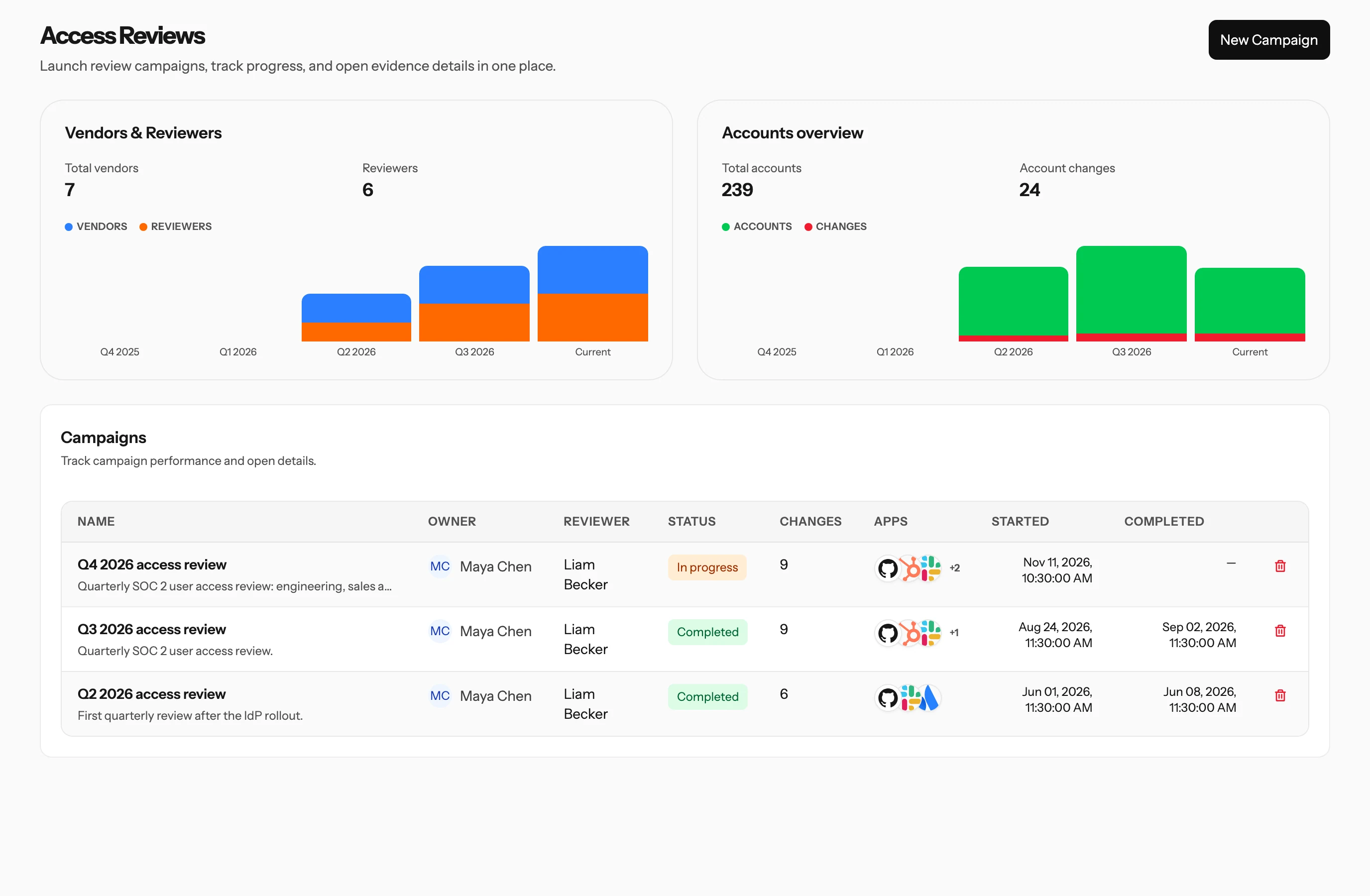
How a review is organized
- Campaign: one review cycle, for example "Q4 2026 access review". A campaign has a name, an identity provider to compare against, and the applications in scope. Create one from Access Reviews with New Campaign.
- Review run: each application in a campaign becomes one run. The run holds that application's account list at the time of the review, its findings and the decisions taken on it.
- Decision: Keep or Remove, recorded per account when the reviewer validates the review. Decisions are an audit log: once validated, they are not edited in place.
A campaign shows In progress until every application in it has a validated review, then switches to Completed.
Who reviews
Every application in a campaign has a Reviewer and an Owner, set from the campaign page (see Create a campaign). The reviewer is the person expected to decide for that application, usually its owner or the manager of the team that uses it. The campaign page lists all of them under Reviewers.
Recording decisions and removing accounts both change data, so reviewers need the Owner or Admin role in Lutril. Users with the Viewer role can follow a campaign and read its decisions without changing anything. See roles.
Reviews happen in the app
Access reviews are completed in the Lutril app. Lutril does not send review assignments or reminders in Slack or Teams, so share the campaign link with your reviewers when you launch a campaign.
What a reviewer sees
When a reviewer opens an application, Lutril has already matched each account to your identity provider and computed these findings:
| Finding | Meaning |
|---|---|
| Orphans | Accounts with no matching active user in your identity provider, typically former employees or personal addresses. |
| Inactive ≥90d | Accounts that have not signed in for 90 days or more. Shown only when the application reports sign-in dates. |
| High privilege | Owners, admins and maintainers. |
| Bots, Guests | Service users and external guests, for applications that report them (Slack, for example). |
| Unmatched identity | Accounts the application exposes without an email address, so they cannot be matched to the directory. |
Each finding is a filter: click it to list only those accounts. See Review an application.
Compliance score
When a reviewer validates a review, Lutril records a compliance score for the application: the share of its accounts that match an active user in your identity provider. An application with 17 accounts and 3 orphans scores 82%. The Compliance score and Application compliance cards on the Dashboard show the score per application, using the latest sync when one is available, so removing orphaned accounts raises it.