Multiple instances
Connect the same vendor more than once, for example a production and a staging Grafana, each with its own credentials, owner and reviews.
Some vendors run as several separate spaces inside one company: a production and a staging Grafana, two Snowflake accounts, a Figma organization next to a Professional team, or two Claude Team organizations. Lutril connects each one as its own environment.
Each environment is a separate connection with its own credentials, owner, permissions and roster. Access reviews and access requests are recorded against the environment, not just the vendor.
Which vendors support it
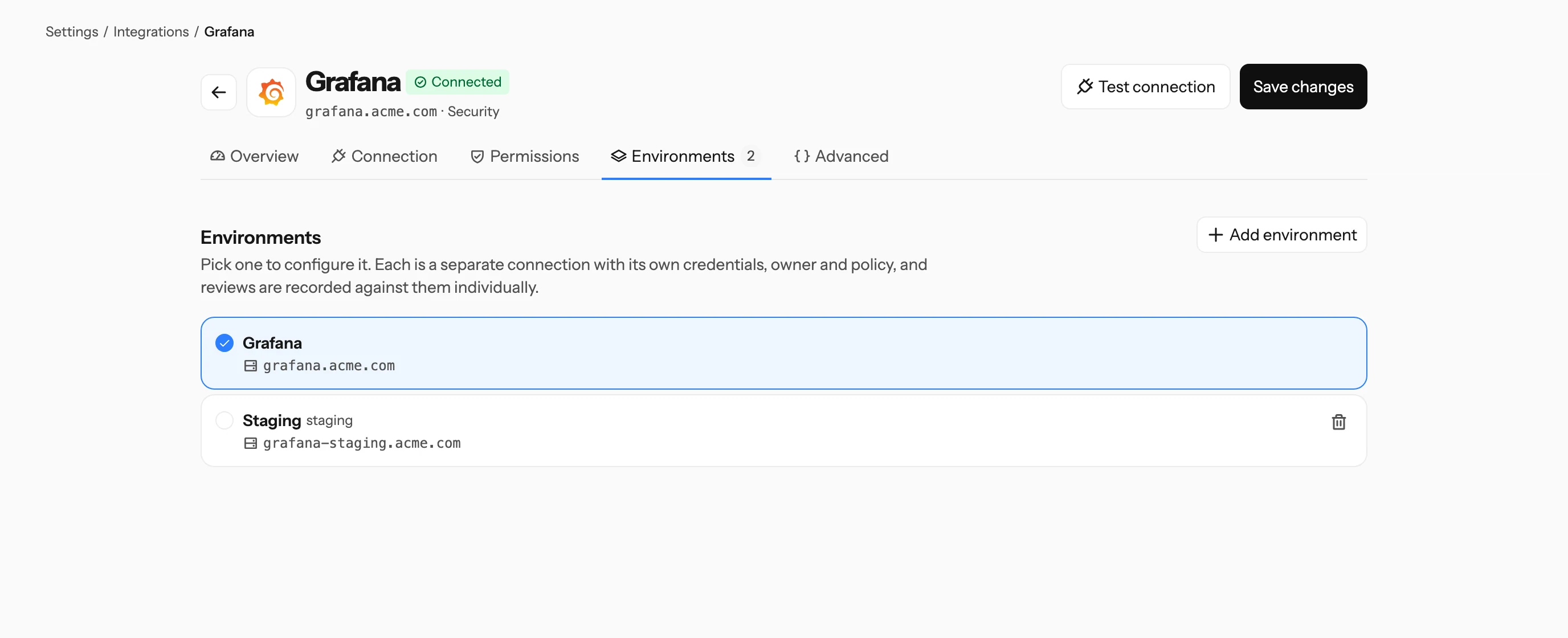
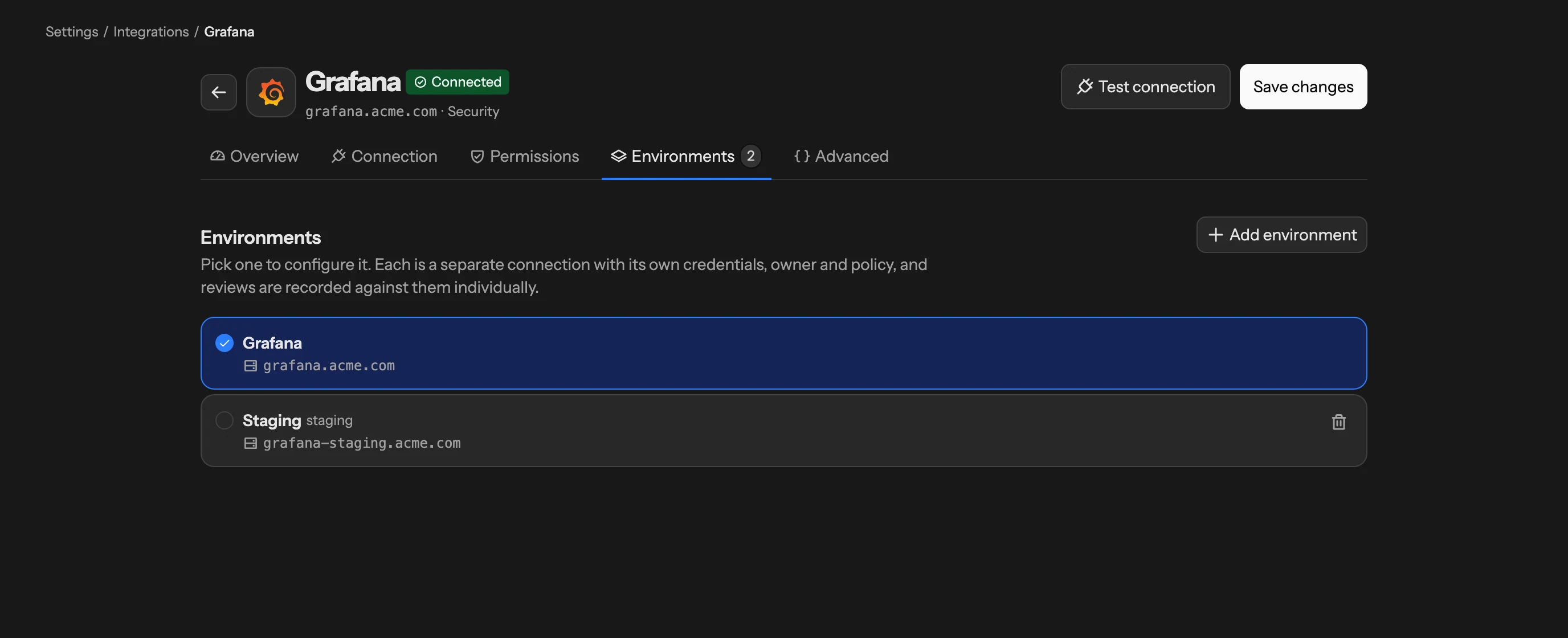
Environments are available for Grafana, Snowflake, Figma and Claude Team. For these vendors the connection page shows an Environments tab, and the Integrations card shows how many there are (for example 2 environments).
Add an environment
Open the vendor from Settings > Integrations and go to the Environments tab. Click Add environment.
Fill in the form:
- Name: shown wherever this connection appears, for example
Staging. You can change it later. - Identifier: permanent. Reviews and audit records are stored against it. Lutril suggests one from the name.
- Type: Production, Staging, Development, Sandbox or Other. It is used to scope access reviews and policies.
Click Add environment.
The new environment is created without credentials. Select it in the list, open the Connection tab, enter its credentials, and click Test connection.
Work with environments
- Switching: click an environment in the list. Every other tab (Overview, Connection, Permissions, Advanced) then applies to that environment only, and its name appears in the page title and breadcrumb.
- Links: each environment has its own URL. The default connection lives at
/settings/integrations/grafana, and an added one at/settings/integrations/grafana__staging, the vendor key followed by two underscores and the identifier. - Removing: the bin icon on a row removes that environment after a confirmation. Its credentials are deleted and it stops appearing in requests and reviews; past review records keep referring to it. The default connection cannot be removed while other environments exist.